
Can I remove a constituent that has been accidentally added to a membership?
Updated Apr 30, 2024·1 min read
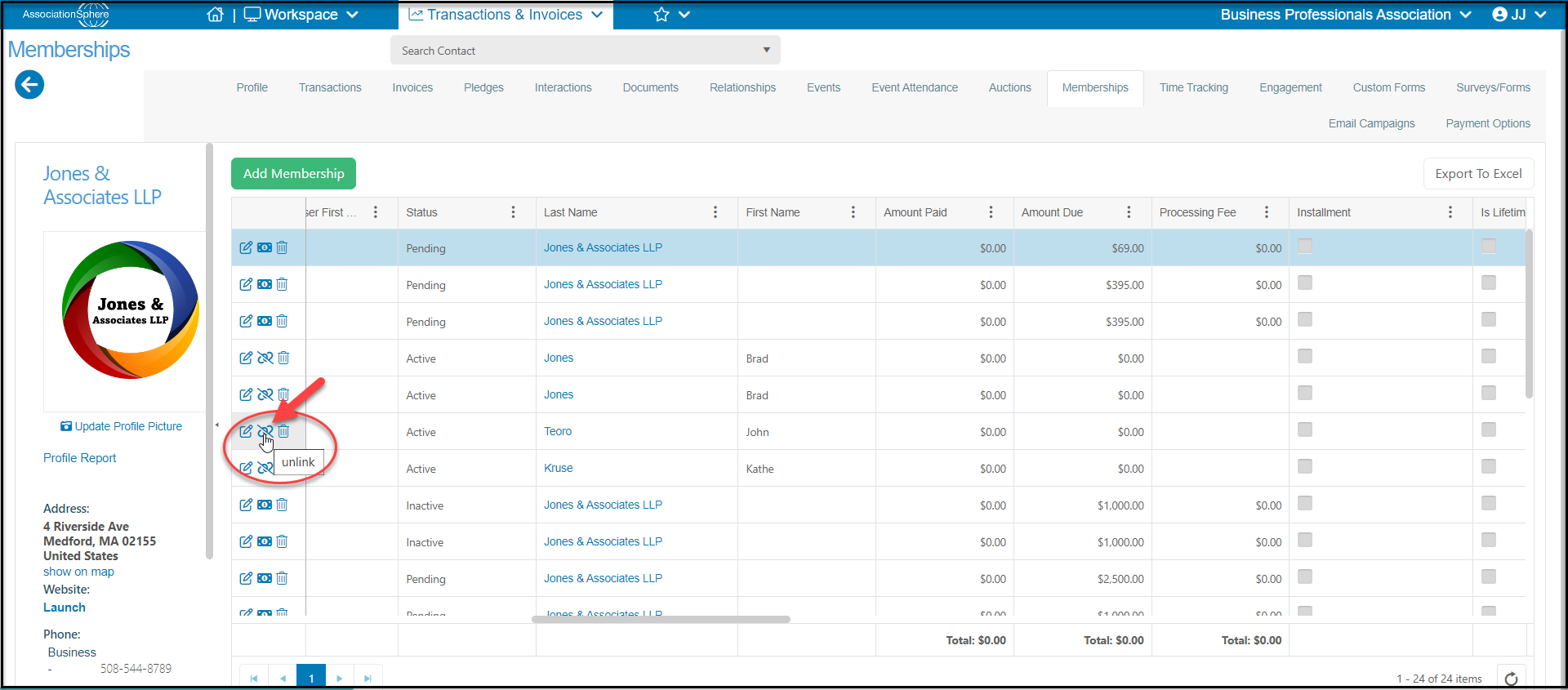
Yes, you can remove a member from a group membership by going to the Membership tab in the purchaser's record. Select the row of the member you wish to remove and click on the unlink icon in the 1st column. You can unlink anyone who is not a Head Of Household.
Was this article helpful?