
Event Expenses Grid
Updated Oct 7, 2026·2 min read
The Events module allows you track track event expenses using the Event Expenses grid.
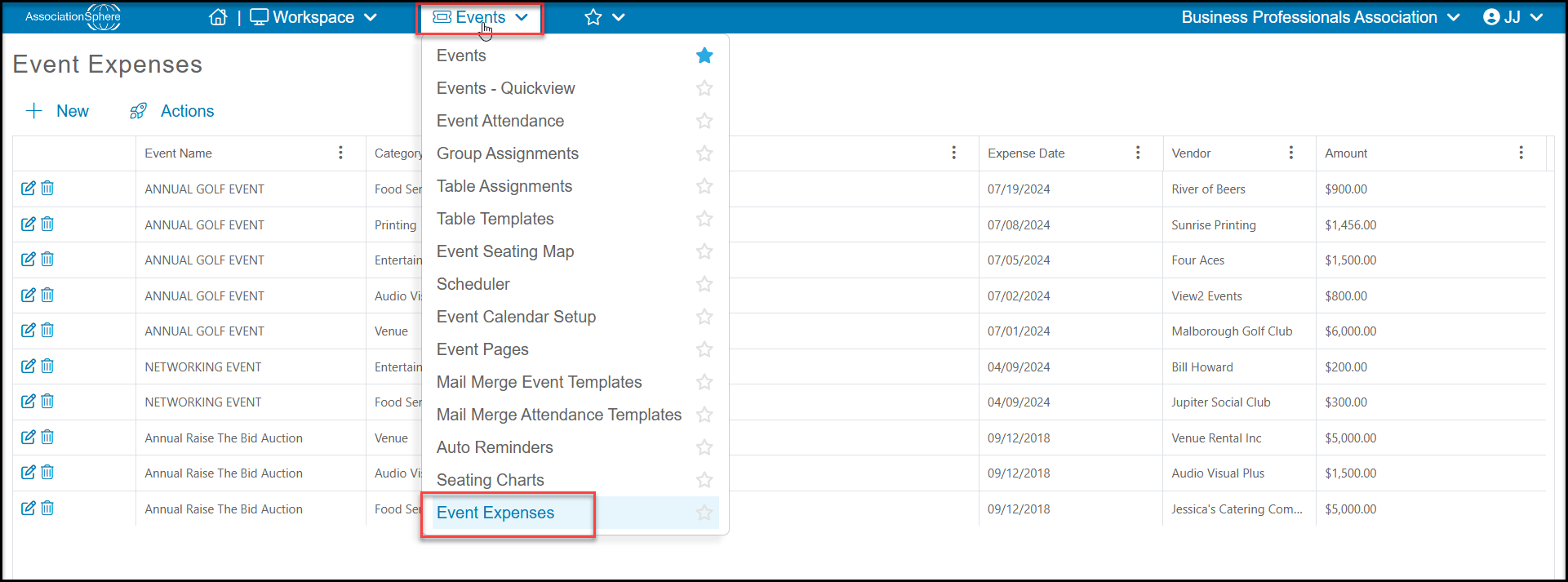
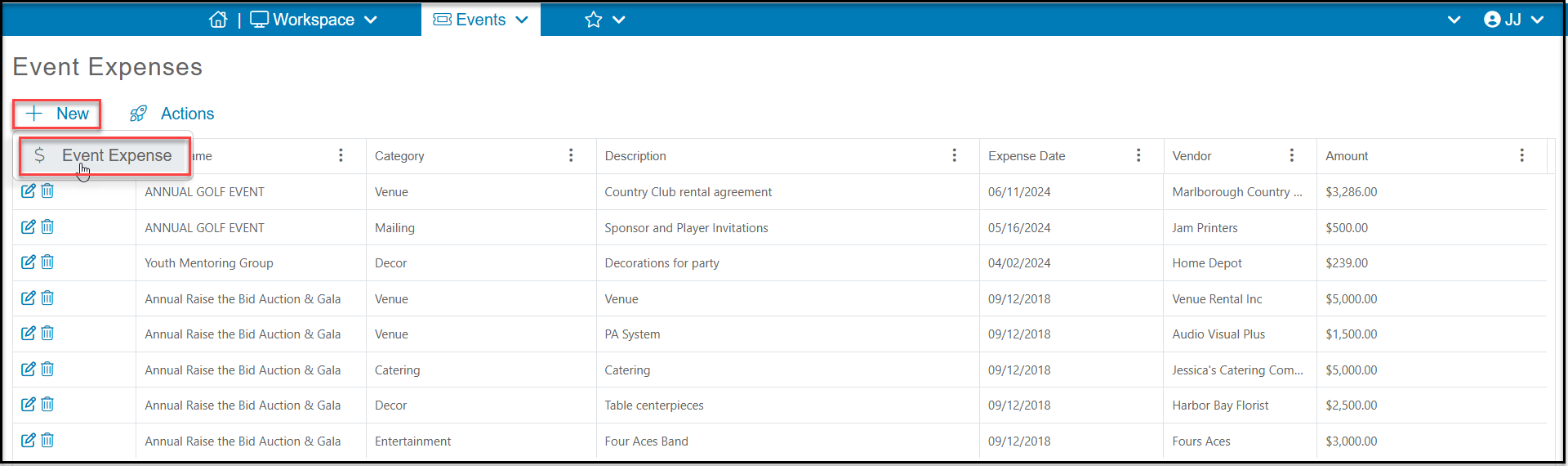
The grid does not interface with the Gifts grid, so these expenses are not recorded with other financial data and it is not available for QuickBooks export. You can add a new expense to the grid by clicking on +New, then Event Expense.
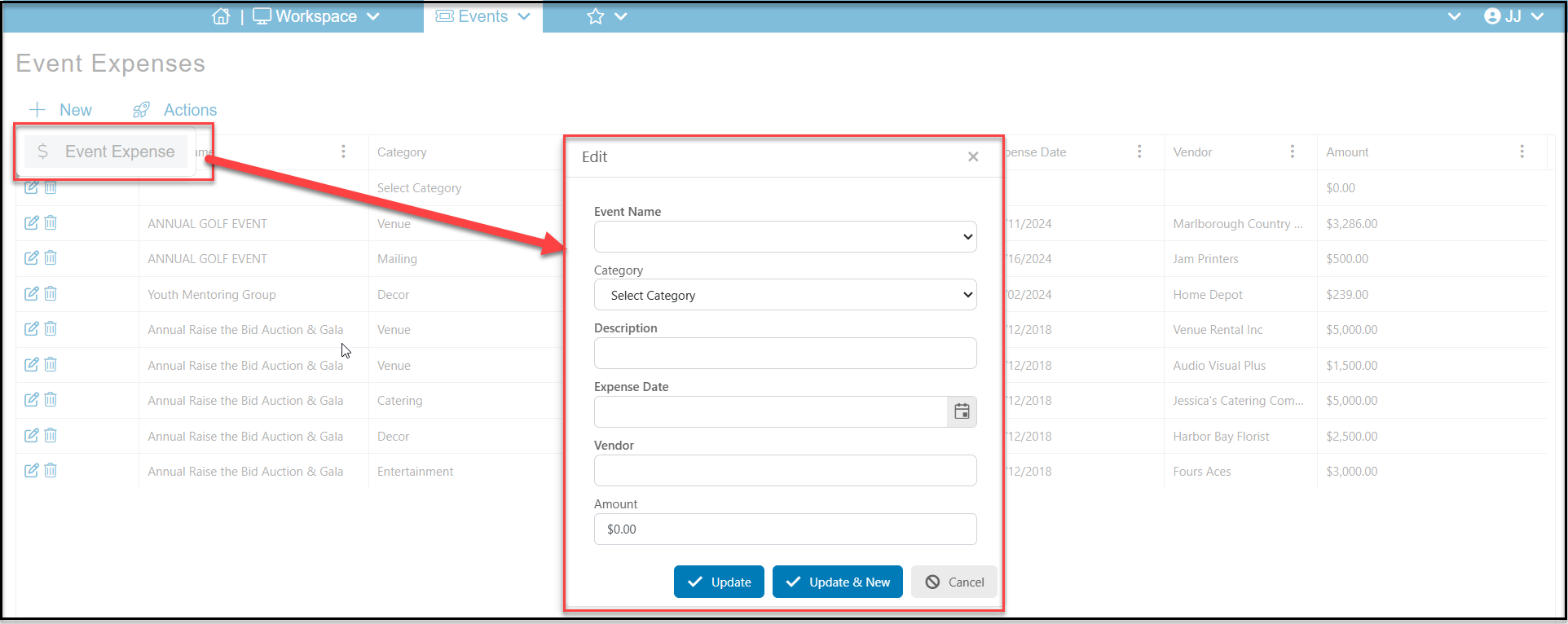
- The popup window will allow you to:
- Choose the Event Name this expense is associated with from your list of AssociationSphere event pages.
- Select a Category to assign this expense to. This list is editable using the <New/Edit> option at the top of the dropdown list.
- Type in a Description to add more details about the expense.
- Select the date the expense occurred by clicking on the calendar icon or typing in the date in the Expense Date field.
- Enter the name of the Vendor.
- Enter the Amount of the expense.
- Click Update to save the entry. Click Update & New to open a new window to enter a new expense. Or click Cancel to abandon the entry.
-
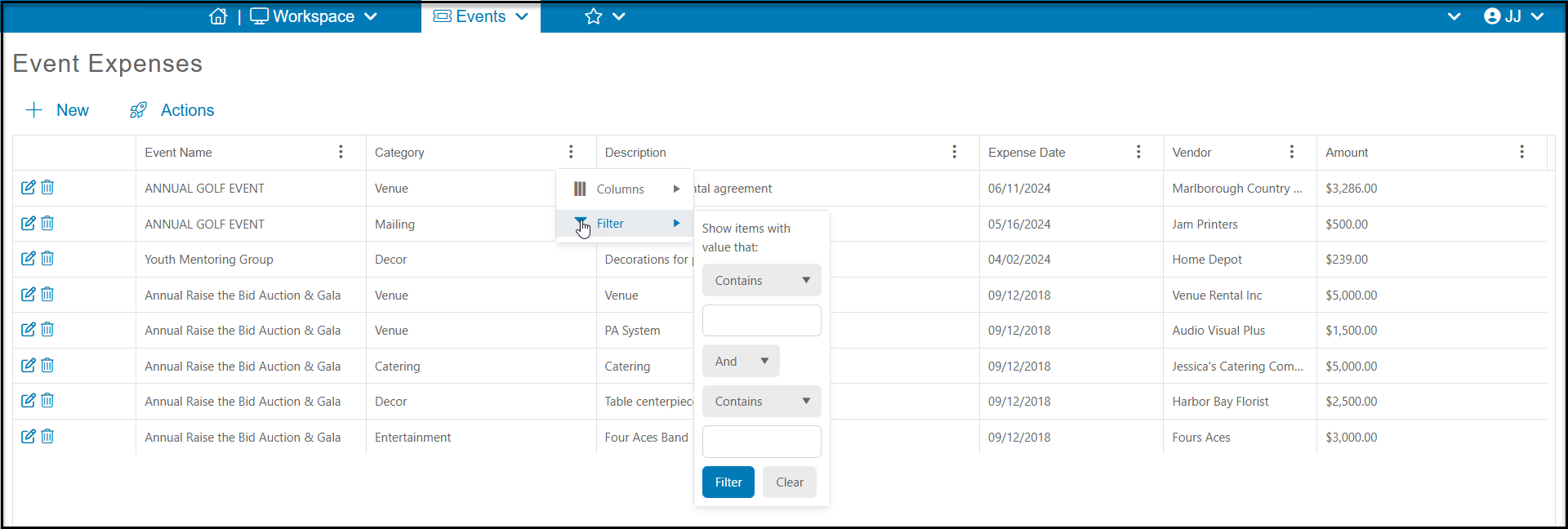
You can add filters to any of the columns to customize the data show. Note that the grid will refresh and clear the filters if you navigate away from the page.
-
You can edit any of the rows using the edit icon on the left side of each row.
-
You can delete a row by clicking on the trash can icon on the left side of the row.
-
You can export this grid to excel using the Actions menu at the top of the grid.
Was this article helpful?