
How do I create a new relationship?
Updated Oct 16, 2026·3 min read
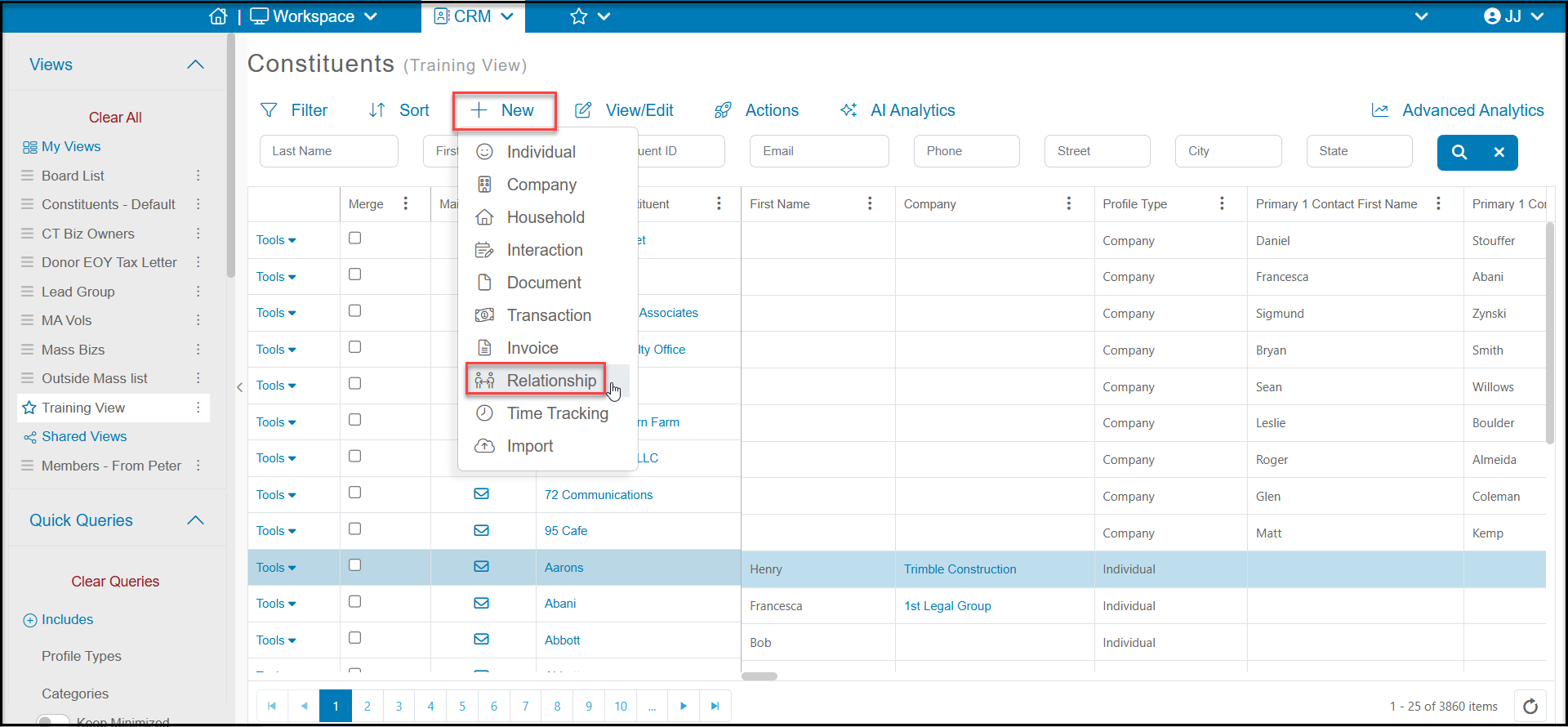
From the main grids (Constituents, Gift, Interactions or Documents), you can highlight the constituent, click on the +New button at the top of the grid and select Relationship to open a new relationship entry window.
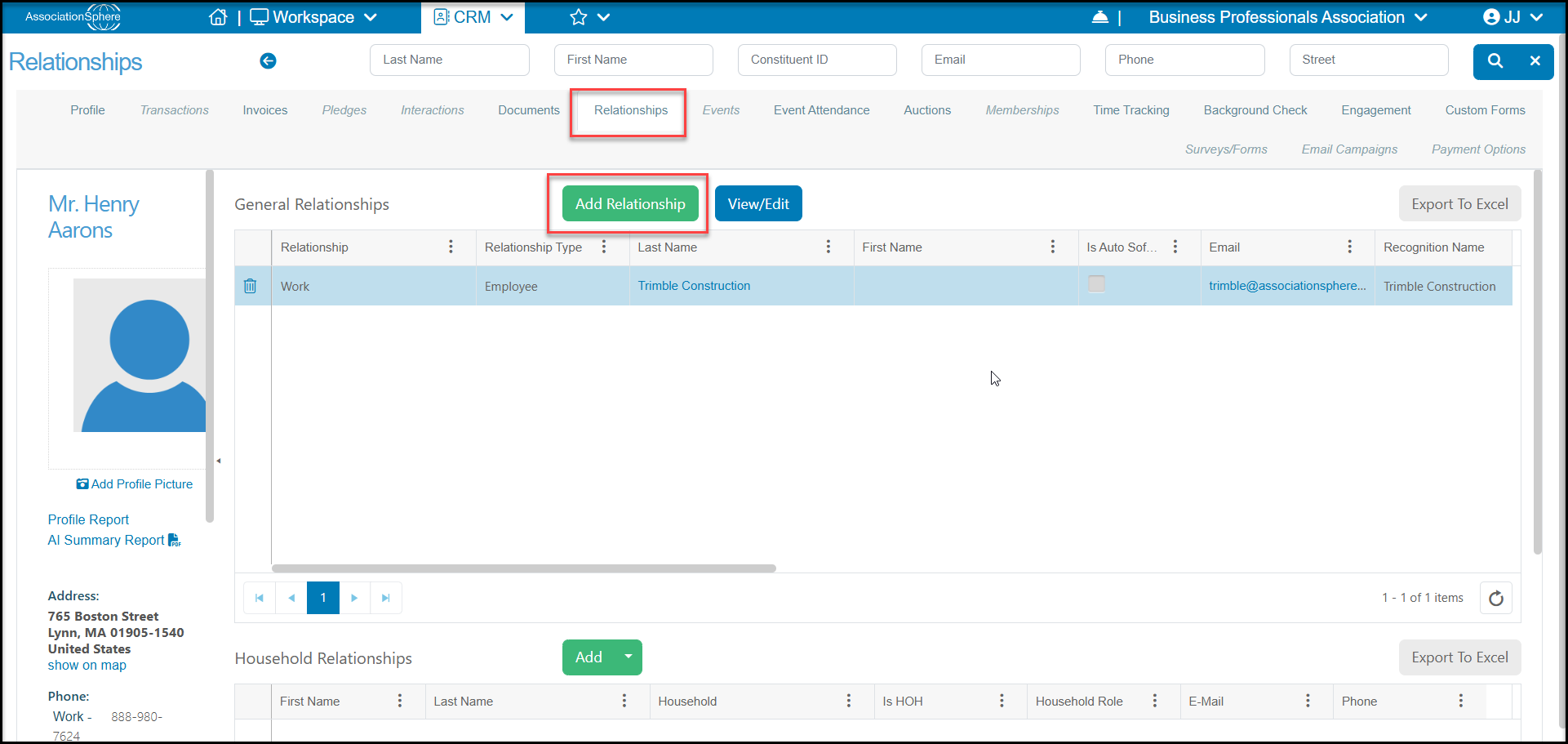
You can also add a new relationship from within a constituent's profile record by going to their Relationships tab and clicking on Add Relationship.
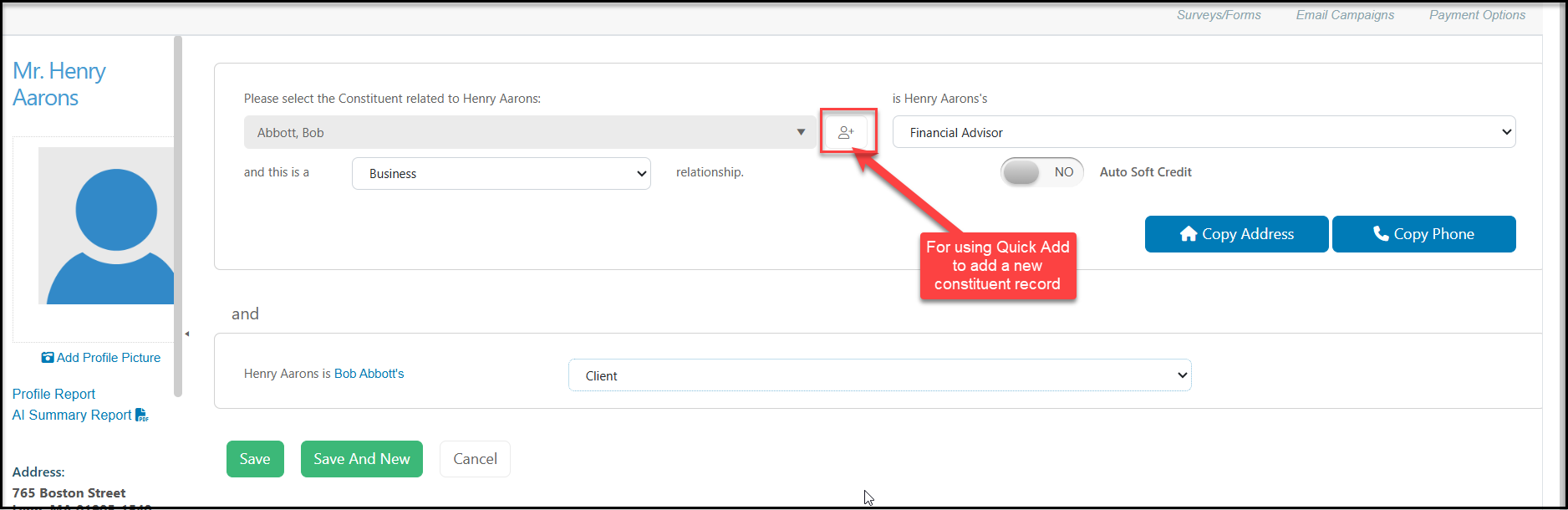
- In the first field, Please select the Constituent related to ... you can select an existing constituent from the drop down list by entering the first few letters of their first or last name. If they do not exist in the database yet, you can click on the Add Constituent icon to the right of the field and do a quick add to add them to the database. Once added, you can search for them again in the Select Constituent Related to field.
- Next choose the Relationship Type between the selected constituent and the constituent showing on the profile. In the example below, this would read like the sentence "Bob Abbott is Henry Aaron's Financial Advisor." Bob Abbot is the Financial Advisor. The Relationships Type is an editable field and you can add, edit, and delete as many relationship types as your organization needs.
- The next field is the Relationship Category. This is a more high level grouping of relationships. For example, family, work, business, community, etc. In the example below this field is a Business relationship.
- If these constituents will have a financial connection, you have the option of setting Auto Soft Credit to YES. This means that anytime either constituent makes a contribution, the other constituent will automatically be soft credited for the transaction. You will not need to manually record soft credits. If every transaction by either constituent will NOT result in a soft credit, this field should be left to NO. This field is most often used for spouses and business owners and their businesses.
- The final section establishes the reciprocal relationship. In the example below the Relationship Type identified for Henry Aarons is Client. So Henry Aarons is Bob Abbott's Client.
- When complete, click Save. If you wish to create another relationship for this constituent, click Save and New to open a new relationship entry window. If you do not want to save your changes, you can click Cancel.
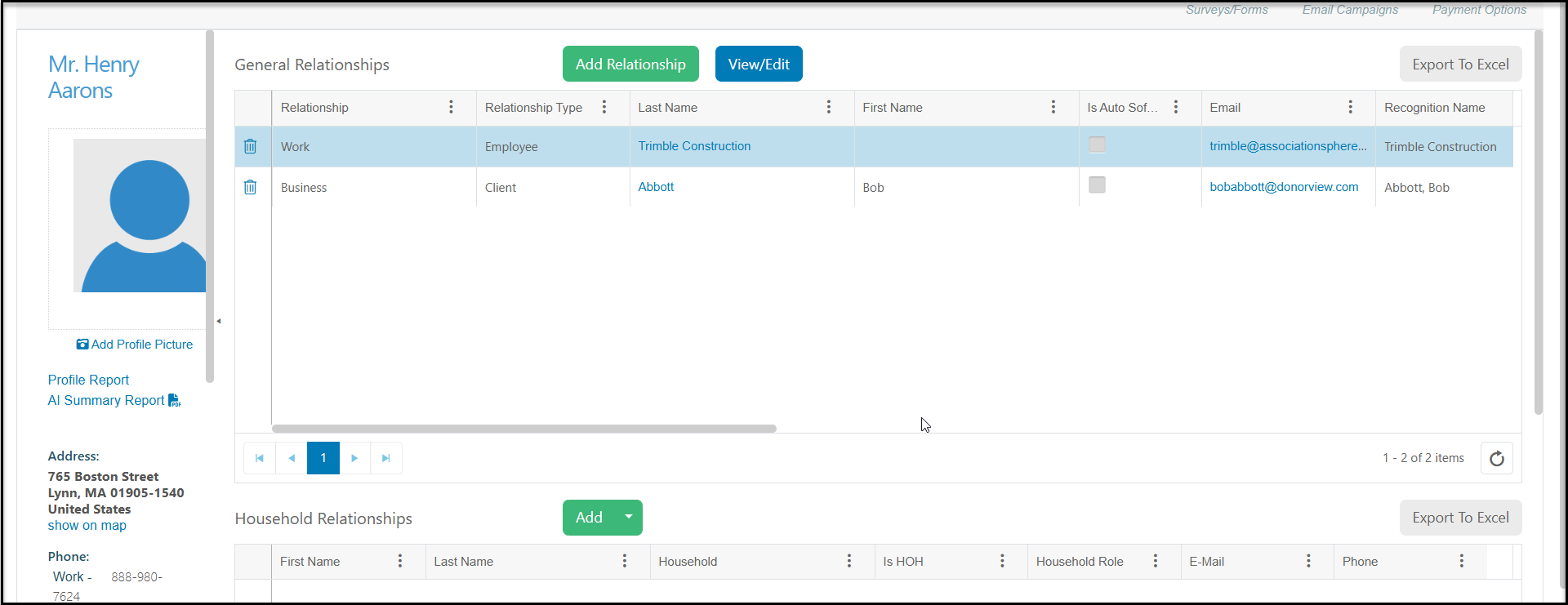
The new relationship will be shown on the main Relationships grid and the constituent's Relationships tab.
Was this article helpful?