
How to manually record volunteer time
Updated Oct 7, 2026·2 min read
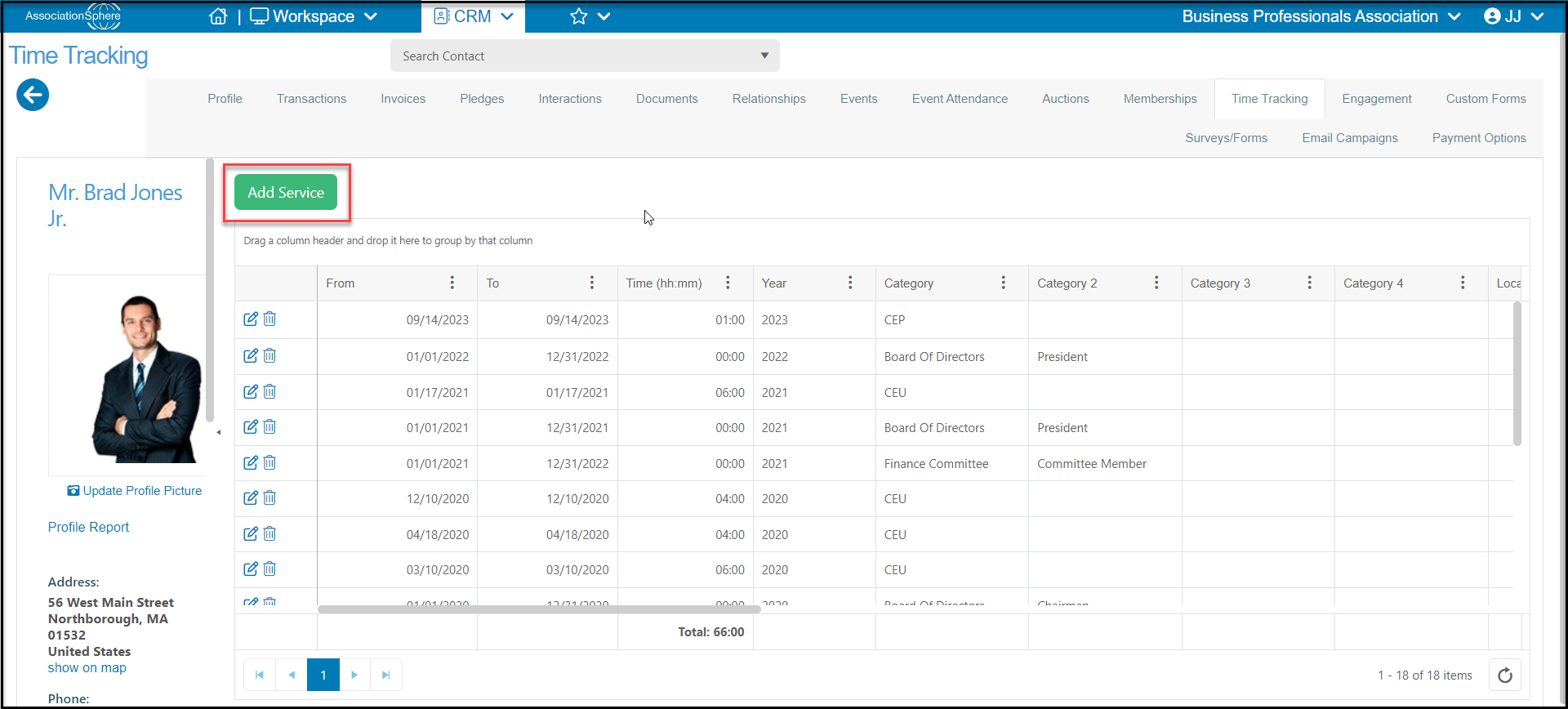
You can record volunteer time using the Time Tracking grid within the CRM module, or via the Time Tracking tab in a constituent's record. From the constituent's record, go to the Time Tracking tab and click on Add Service.
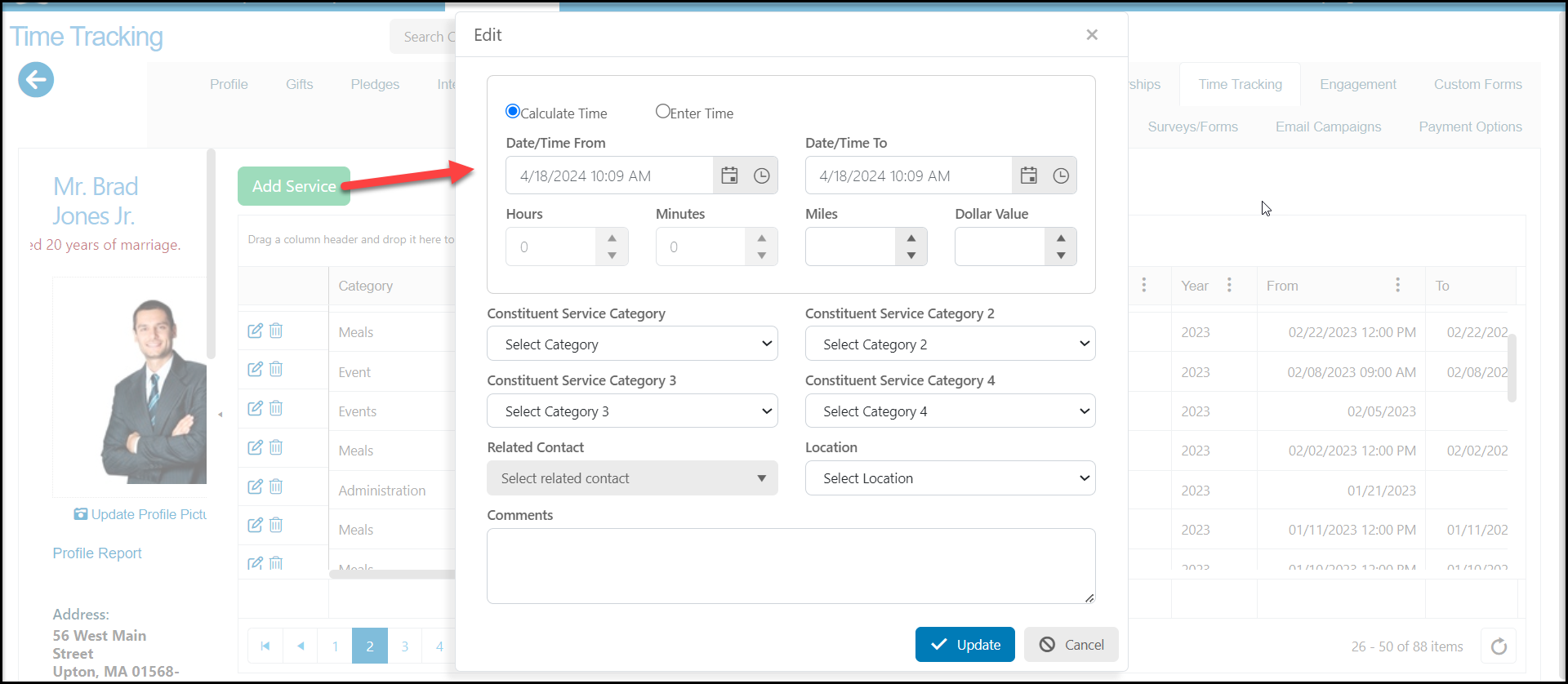
- n the new window you can allow the software to calculate the time provided by entering the Time/Date From and Time/Date To fields.
- You have the option to select Enter Time and manually record the date and time.
- You can also include Miles and assign a Dollar Value. You can assign the service to up to four independent Constituent Service Categories. These service categories are editable like most dropdown fields within the software.
- Selecting a Related Contact will automatically assign the same hours and information to the related contact's record. A constituent relationship must have already be created using the Relationships tab.
- You can assign a Location for the services, and this list is editable as well.
- The Comments field allows you to add any other information necessary to the record.
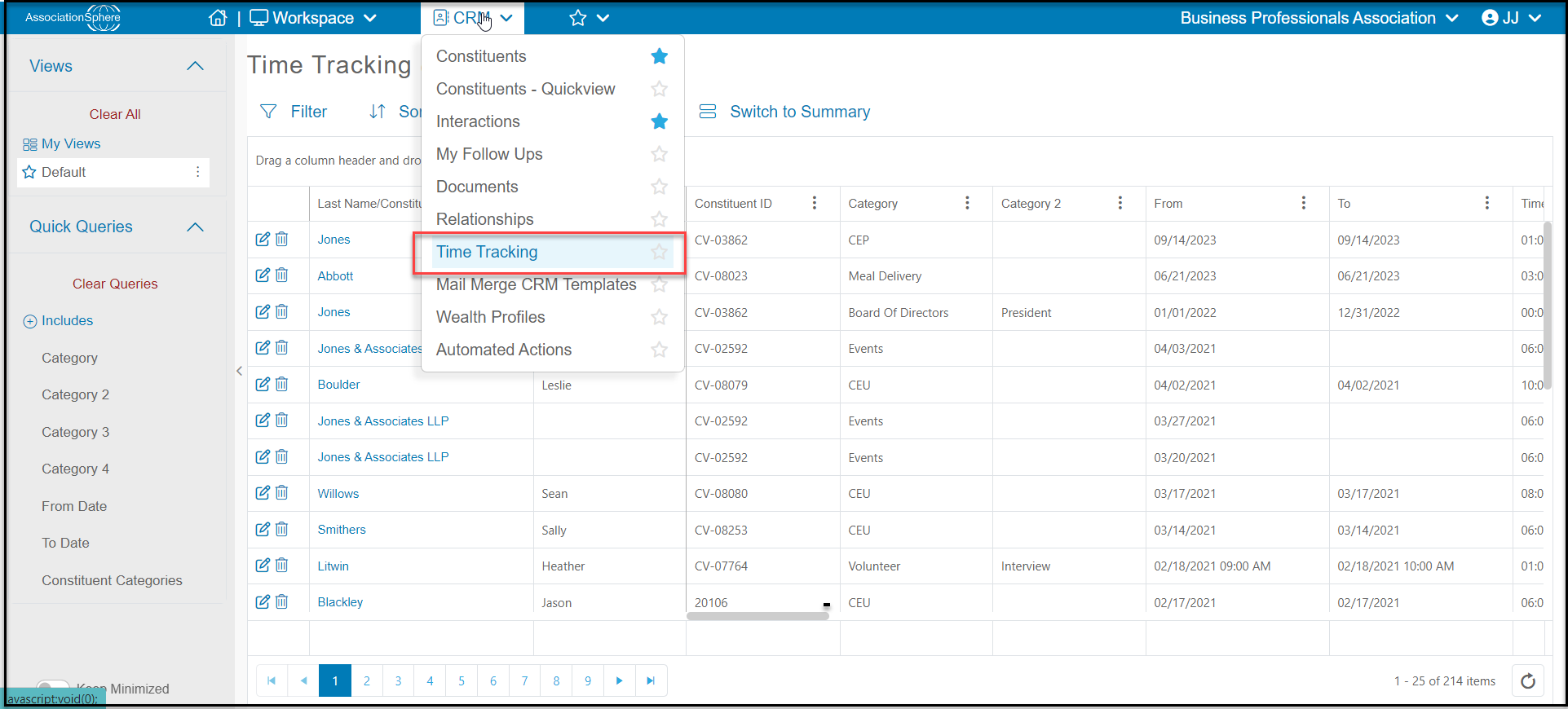
Time can also be added via the CRM Time Tracking grid by clicking on the +New to open the same window as is shown above.
Was this article helpful?