What is the difference between amount and tax-deductible amount?
Be sure to check with current local, state, and federal regulations and your accountant regarding tax-deductible giving to ensure you are in compliance with applicable laws and requirements. The article provides general information on functions in the software only.
When entering a general transaction or pledge, the tax-deductible amount defaults to the same amount as the contribution. However, the tax-deductible amount may be different if goods or services were received in exchange for the contribution, or if your organization is not a 501(c)3, or does not accept contributions that are eligible for tax deductions.
At the writing of this explanation, the IRS rules currently require notification to a donor (constituent) when they receive a good or services in exchange for a single payment in excess of $75. For example, if a constituent purchases a ticket to a gala for $200 but will receive a meal that costs $50, only $150 could be considered tax-deductible because the constituent received something in exchange for the gift.
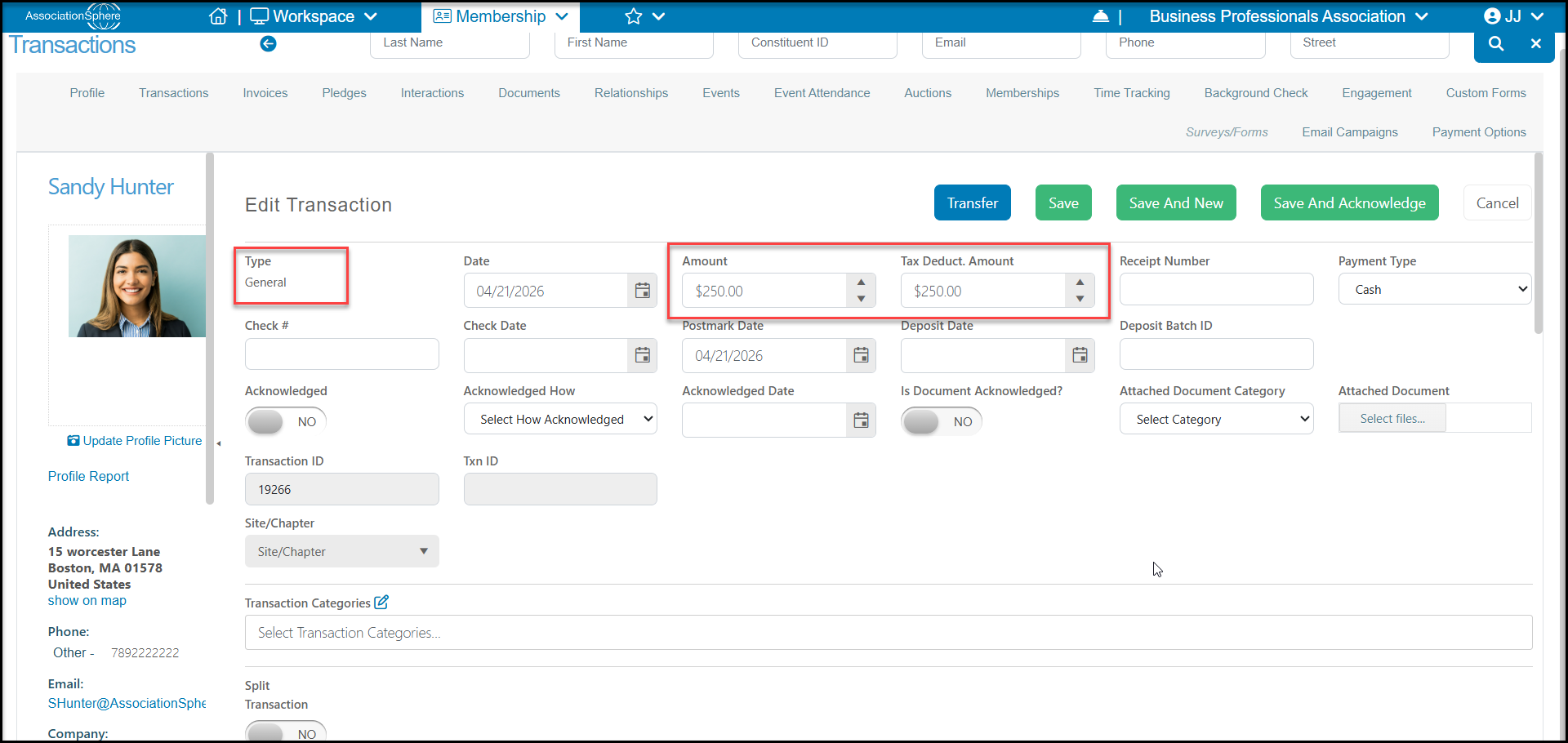
By default, the software currently assigns a $0 tax-deductible amount for memberships and events. This can be edited on the particular levels if desired. The tax-deductible amount for auction items is calculated based on the amount bid minus the value of the item. Only items that have a higher bid that the value of the item would be assigned any tax-deductible amount.
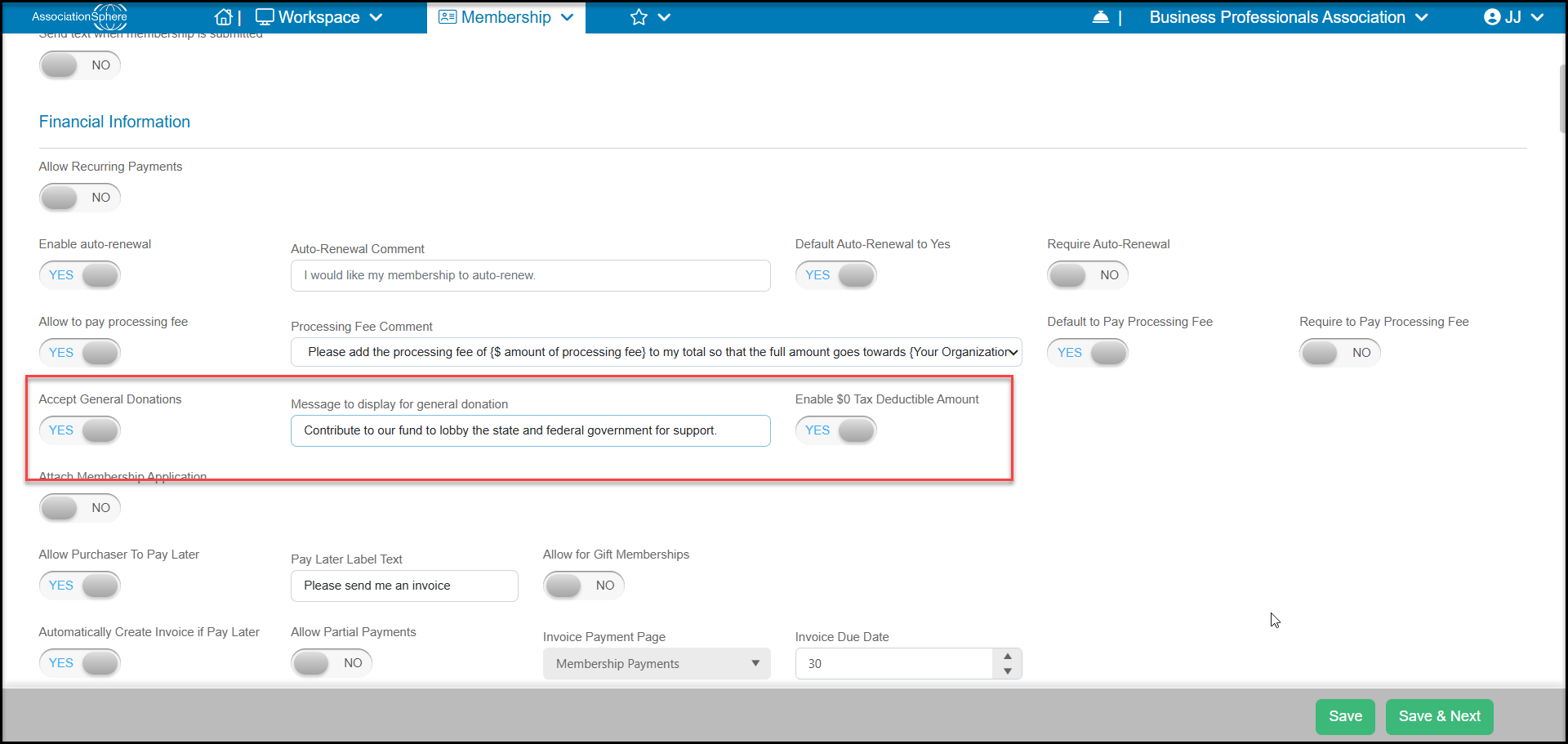
If you accept non-tax deductible contributions to things like political action committees (PACs) on your pages, you can identify that these will not be tax-deductible by settingEnable $0 Tax Deductible Amount to YES on your page's Settings tab in the Financial Information section.