Why don't I see the Welcome Message tab?
Print
Modified on: Mon, 22 Jun, 2026 at 4:57 PM
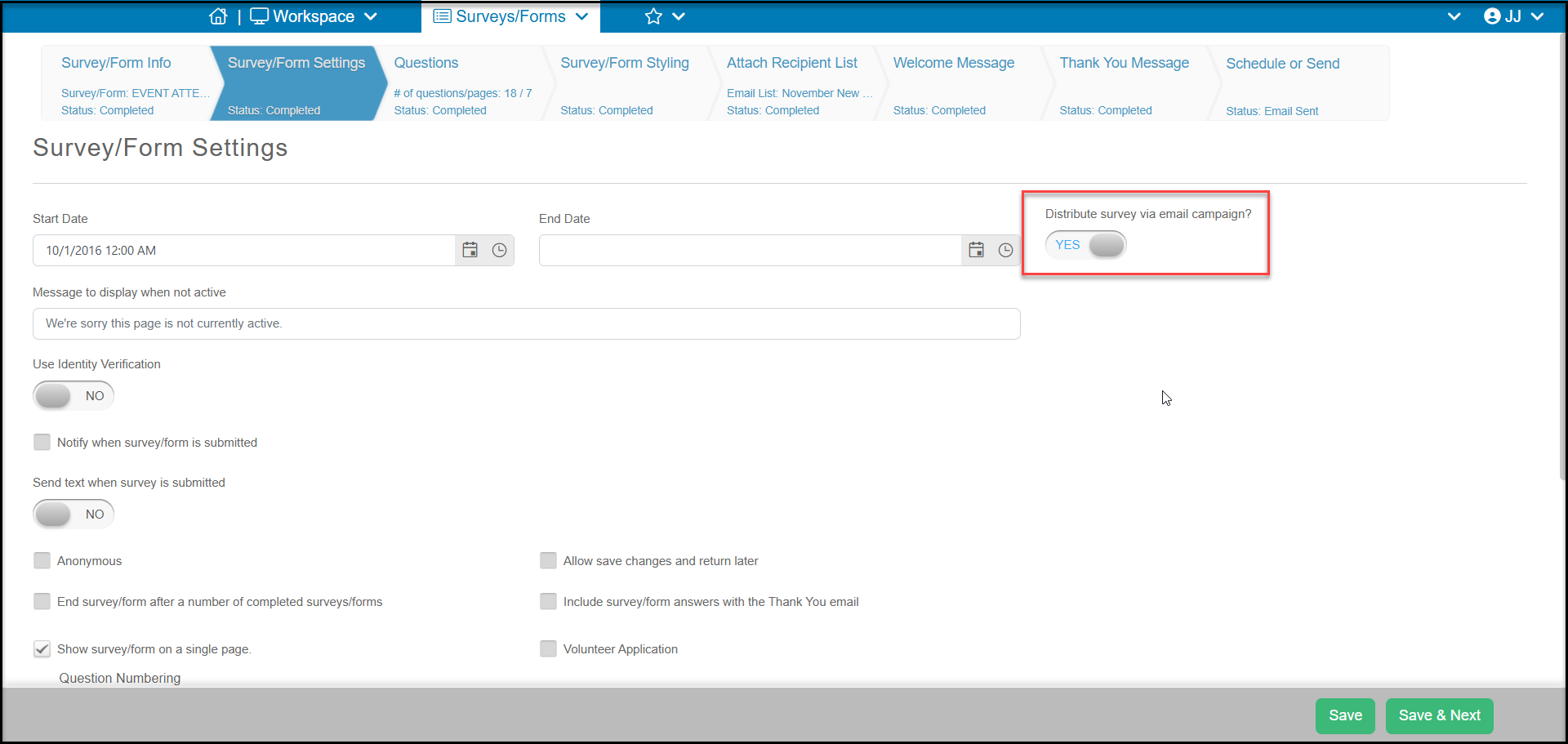
The welcome message tab is only visible when the Distribute via email campaign toggle is set to YES on the Survey/Form Settings tab. You will need to click Save or Save & Next to refresh the page to show that tab. The Welcome Message is the email that the email recipient receives and includes a button link to complete the survey or poll.
Did you find it helpful?
Yes
No
Send feedback Sorry we couldn't be helpful. Help us improve this article with your feedback.
