The Head of Household (HOH) cannot be changed in a household record, however, you can delete the household record and create a new one. This may be necessary if the HOH passes away or if there is a change in the household. Deleting a household record and replacing it does not affect any of the individual constituent records that are or were part of the household.
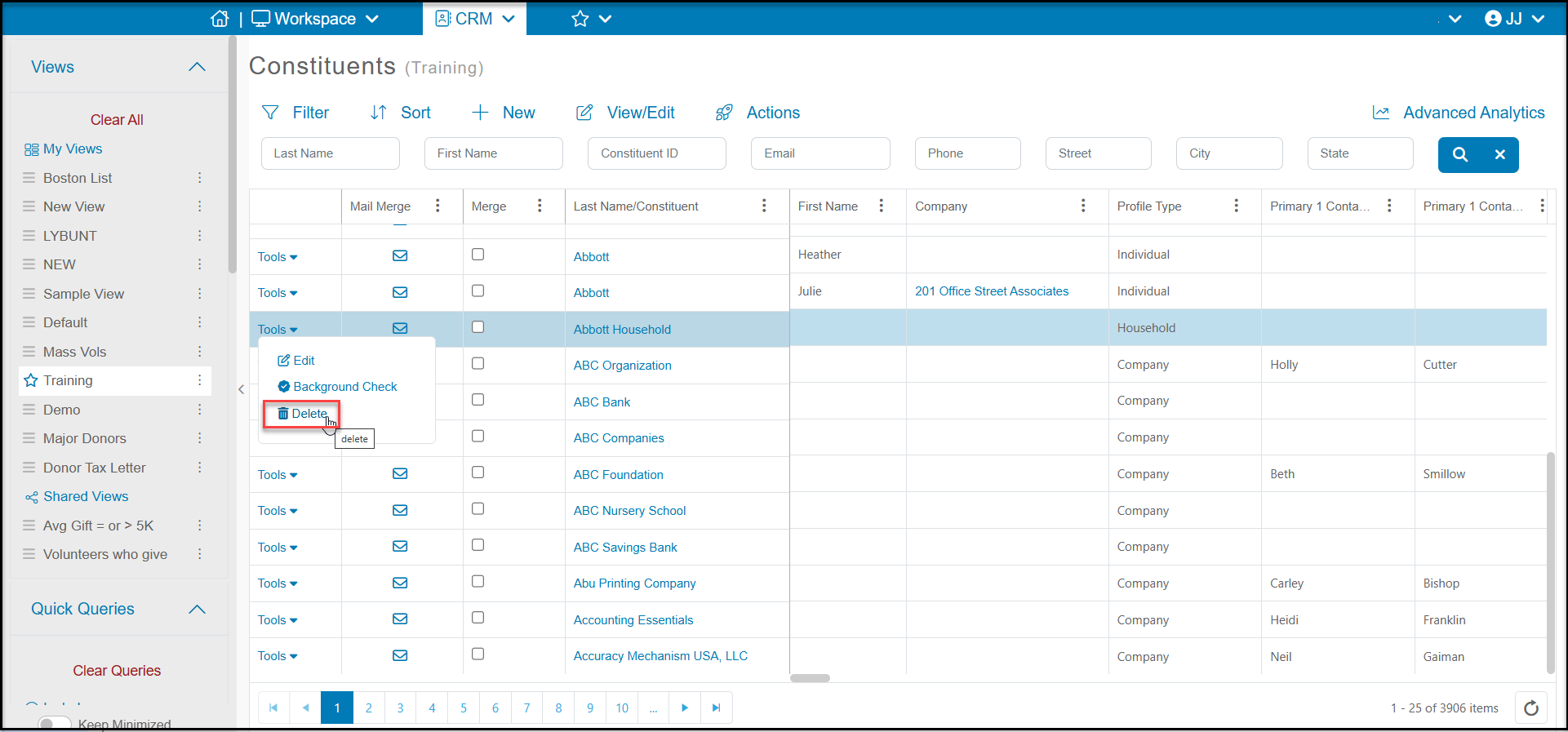
1. Delete the existing household record using the Tools menu on the Constituents grid.
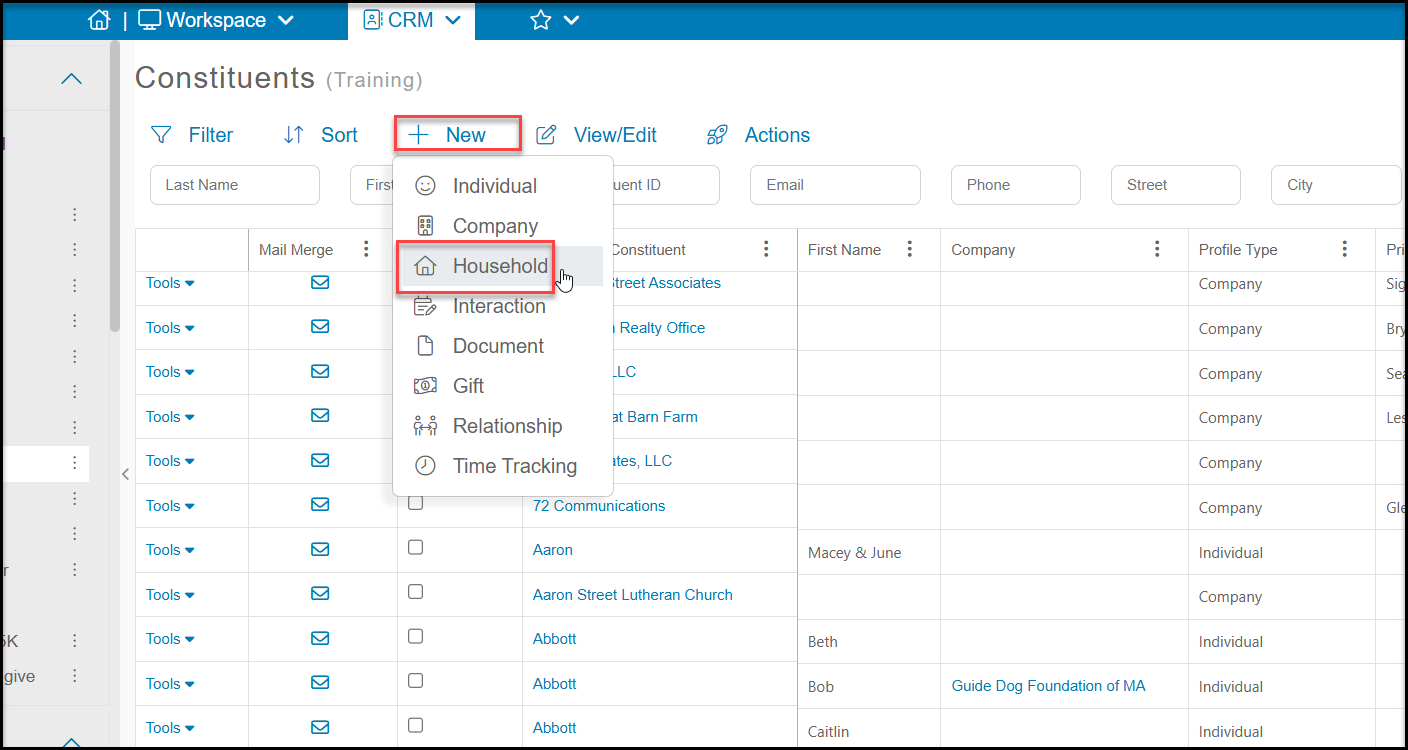
2. Create the new household record using the +New menu on the Constituents grid. The new record can have the same name as the record that was just deleted. See this article "Creating a household constituent record." You can assign any of the former or a new constituent as the HOH for the new household as desired.
Note that the new household record's summary giving information will not be populated on the Constituents grid until the next morning after the overnight update for the grid.
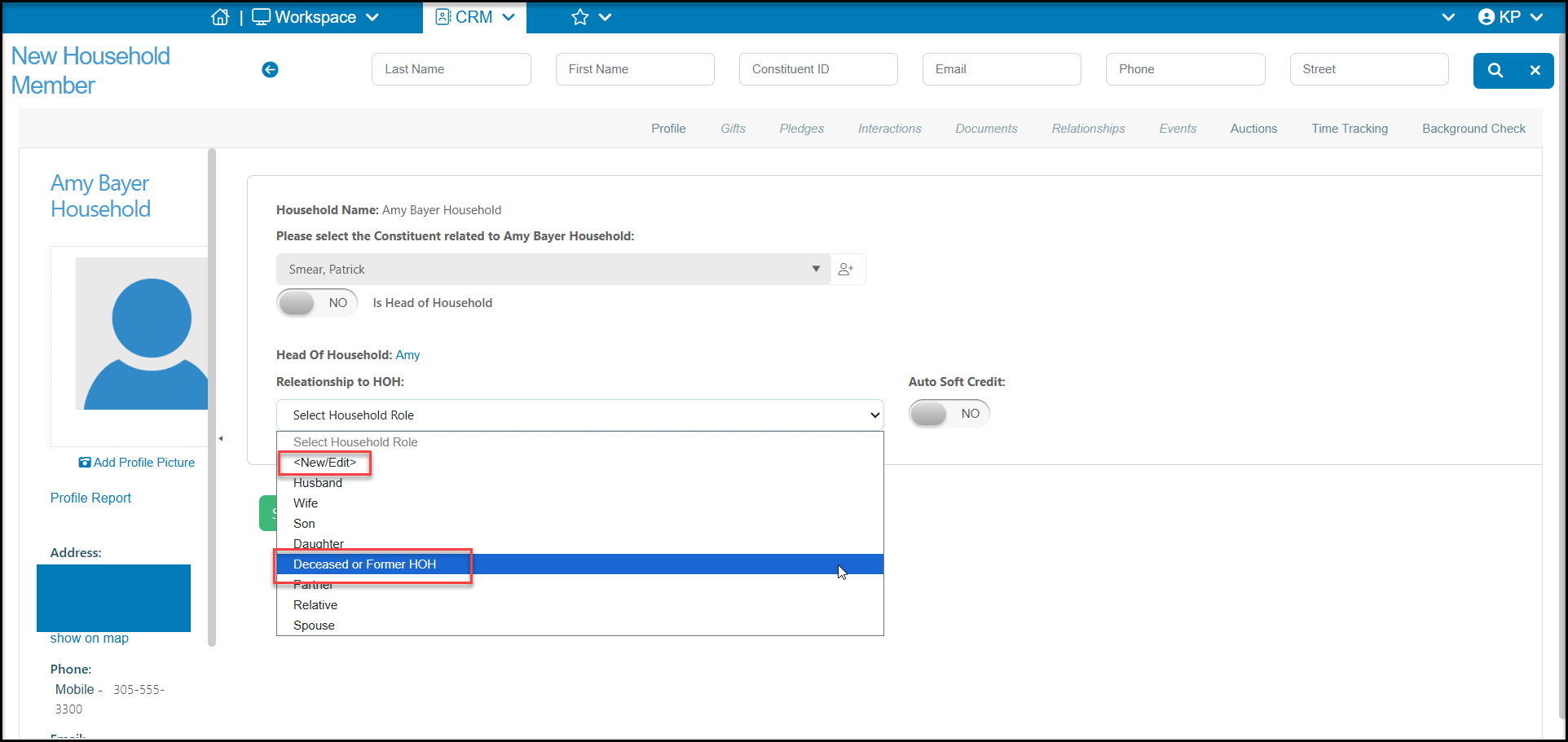
3. If a member of the former household has passed away and you wish to keep their information as part of the household, you can mark the passed member's profile record as "Deceased" and add them to the new household. You can create a custom relationship for deceased or former household members if desired using the <New/Edit> option at the top of the Relationship to HOH dropdown list.