
What can you do with the Actions Menu?
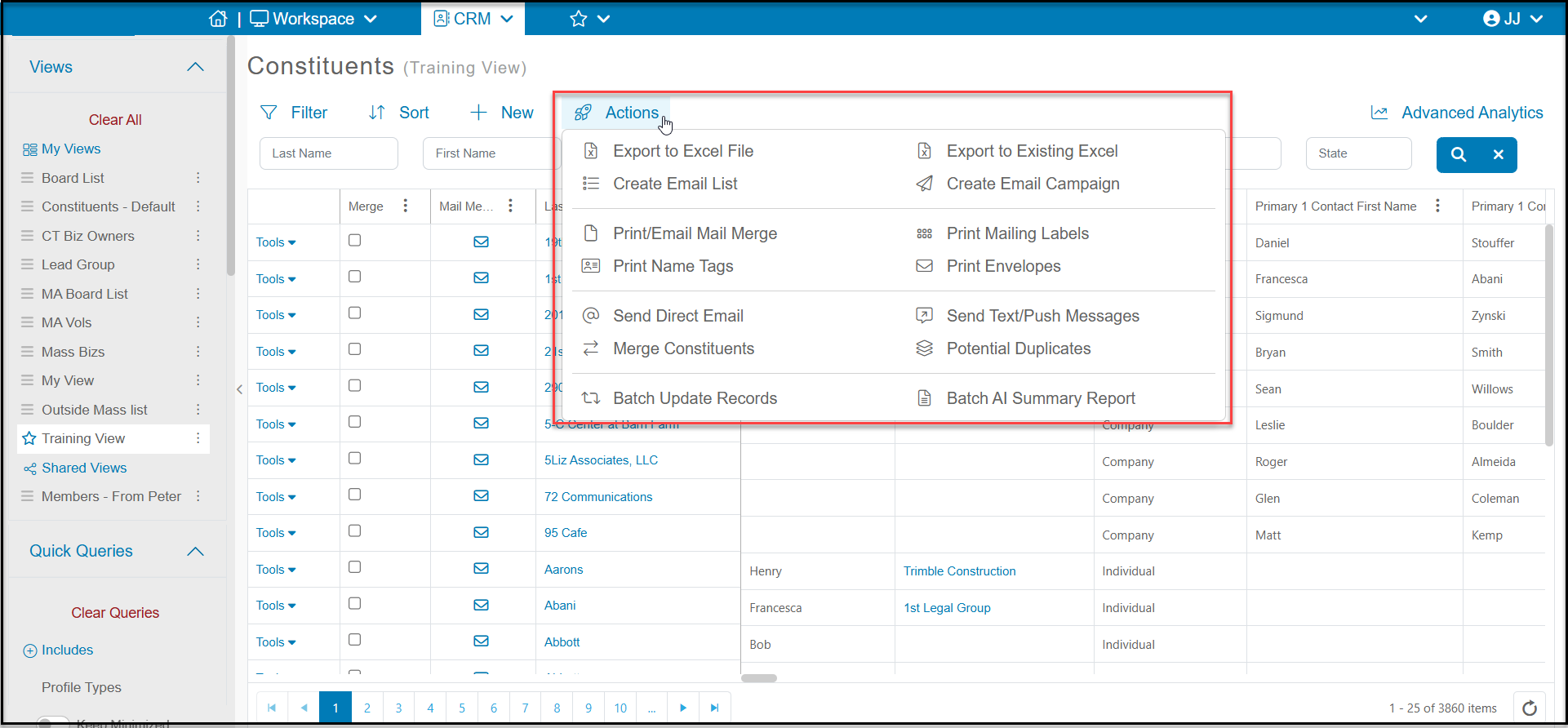
The Actions menu allows the user to perform different activities with the information displayed on the grid. Each grid's Actions menu may perform different activities associated with that grid. For example, from the Constituent grid's action menu you can:
-
Export to Excel - which will export the data on the grid to Excel
-
Export to Existing Excel - if you create a Excel spreadsheet with your data and then create pivot tables or charts with that data, you can refresh the data in your file by Exporting to Existing Excel. It will completely overwrite the previous data and show the new information in your pivot tables or charts.
-
Create Email Lists - to either create a new list or add the constituents in your view to an existing list
-
Create Email Campaigns - to create a new email campaign for the constituents shown in your view
-
Print/Email Mail Merge - to print or email a letter created in the grid's corresponding Mail Merge Letter Template library
-
Print Mailing Labels - to generate mailing labels for the constituents shown in your view
-
Print Name Tags - to generate simple First Name Last Name name tags for the constituents shown in your view
-
Print Envelopes - to generate envelopes using the default address for the constituents shown in your view
-
Send Direct Emails - to send a simple email to the constituents shown in your view
-
Send Text/Push Messages - to send a text message or push notification to the constituents shown in your view
-
Merge Constituents - select two constituents to merge together
-
Run a Potential Duplicates report - run a report to show potential duplicate records
-
Batch Update Records - add some information to all the constituent records shown in your view
-
Batch AI Summary Report - to see your AI report on the constituents shown in your view
Actions performed, such as exporting to Excel or creating a new email list, will only apply to the records displayed on the grid, not the entire database.