
AssociationSphereHelp center
Ask AIAll articlesContactContact supportSign inSign up
Browse
  • General Information & Overviews
  • Organization Account Management
  • AssociationSphere User Management
  • Grids, Dashboards, & Software Functionality
  • CRM Module
  • Membership Module
  • Transactions & Invoices Module
  • Events Module
  • Auctions Module
  • Email Marketing Module
  • Surveys/Forms Module
  • Peer-to-Peer Fundraising Module
  • Volunteer Module
    • Volunteer Module & Programs Overview
    • Volunteer Applications
    • Volunteer Time Tracking Grid
    • Volunteer Registrations
    • Volunteer Attendance
    • Volunteer Scheduler
      • Volunteer Scheduler
      • What information can I edit using the Volunteer Scheduler?
      • Can I print a Volunteer Scheduler view?
    • CRM Module - Volunteer Features
    • Volunteer Events
  • Mail Merge & Texting Module
  • Constituent Portal
  • Job Board Module
  • Mobile Devices & AS Mobile App
  • Quickbooks Integration
  • Training
  • Blog Posts
Help center/Volunteer Module/Volunteer Scheduler

What information can I edit using the Volunteer Scheduler?

Updated Oct 7, 2026·1 min read

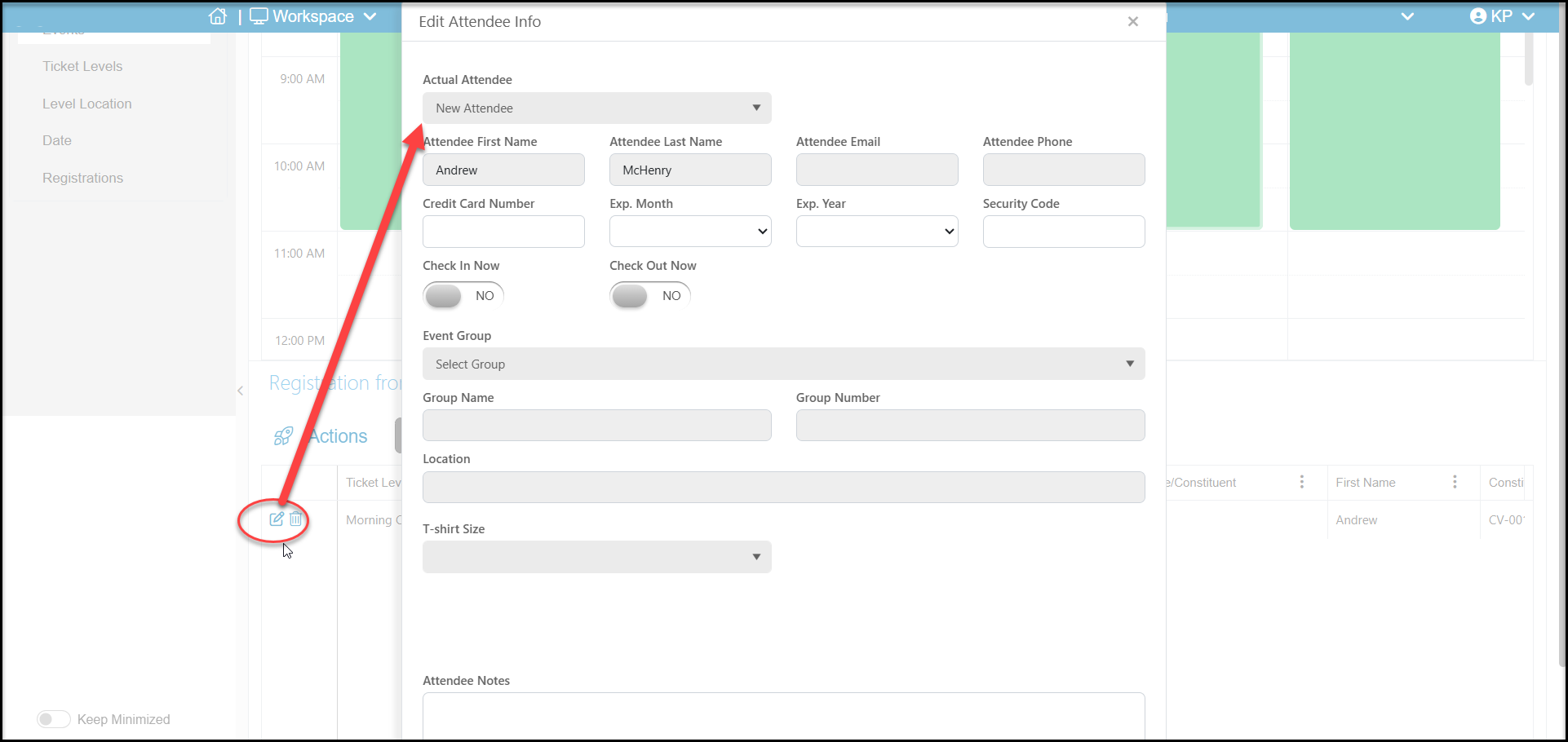
The Scheduler edit feature is similar to the edit options on the Attendance grid. You can assign a new attendee in the Actual Attendee field, Check In Now or Check Out Now, assign the volunteer to a different Event Group, and add Attendee Notes to their attendance record.

Always click Update at the bottom of the window to save the changes.
Was this article helpful?

Related articles

Volunteer SchedulerCan I print a Volunteer Scheduler view?
PreviousVolunteer SchedulerNextCan I print a Volunteer Scheduler view?
© ConnectedView LLC
Help centerContact supportPowered by BlueHill