
Can I login and see a fundraiser’s portal?
Updated Oct 7, 2026·1 min read
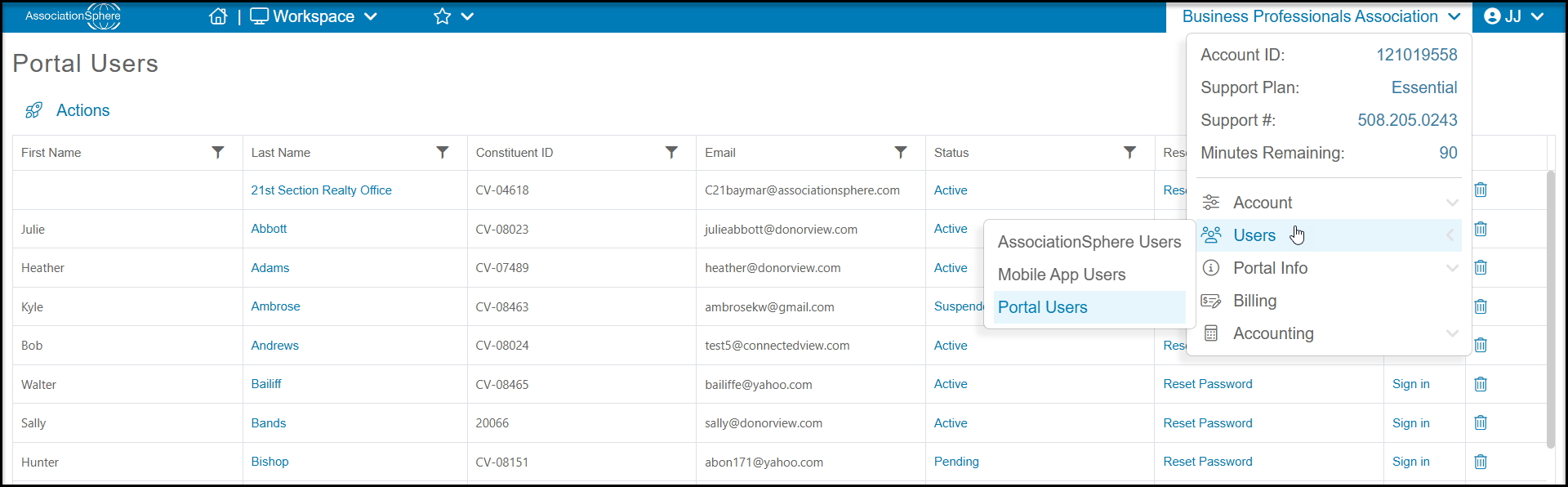
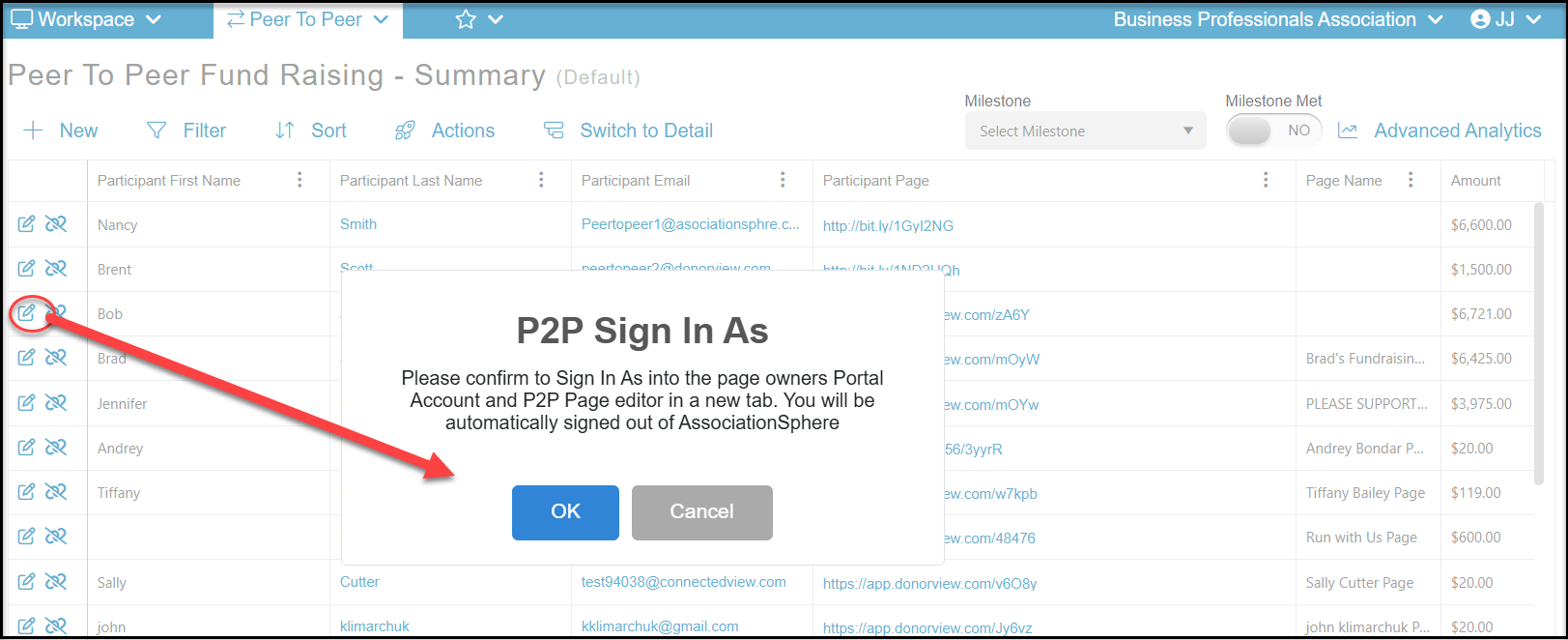
Yes, you can log in from the Portal Users grid or by clicking the Edit icon on the row with their name on the P2P Dashboard grid.
From the Portal Users grid click on Sign In to log out of AssociationSphere and login to the portal as that constituent.
From the P2P Dashboard, when you click the edit link a new window will pop up to ensure you confirm that you are logging out of DonorView. Click OK to access the participant's portal account.
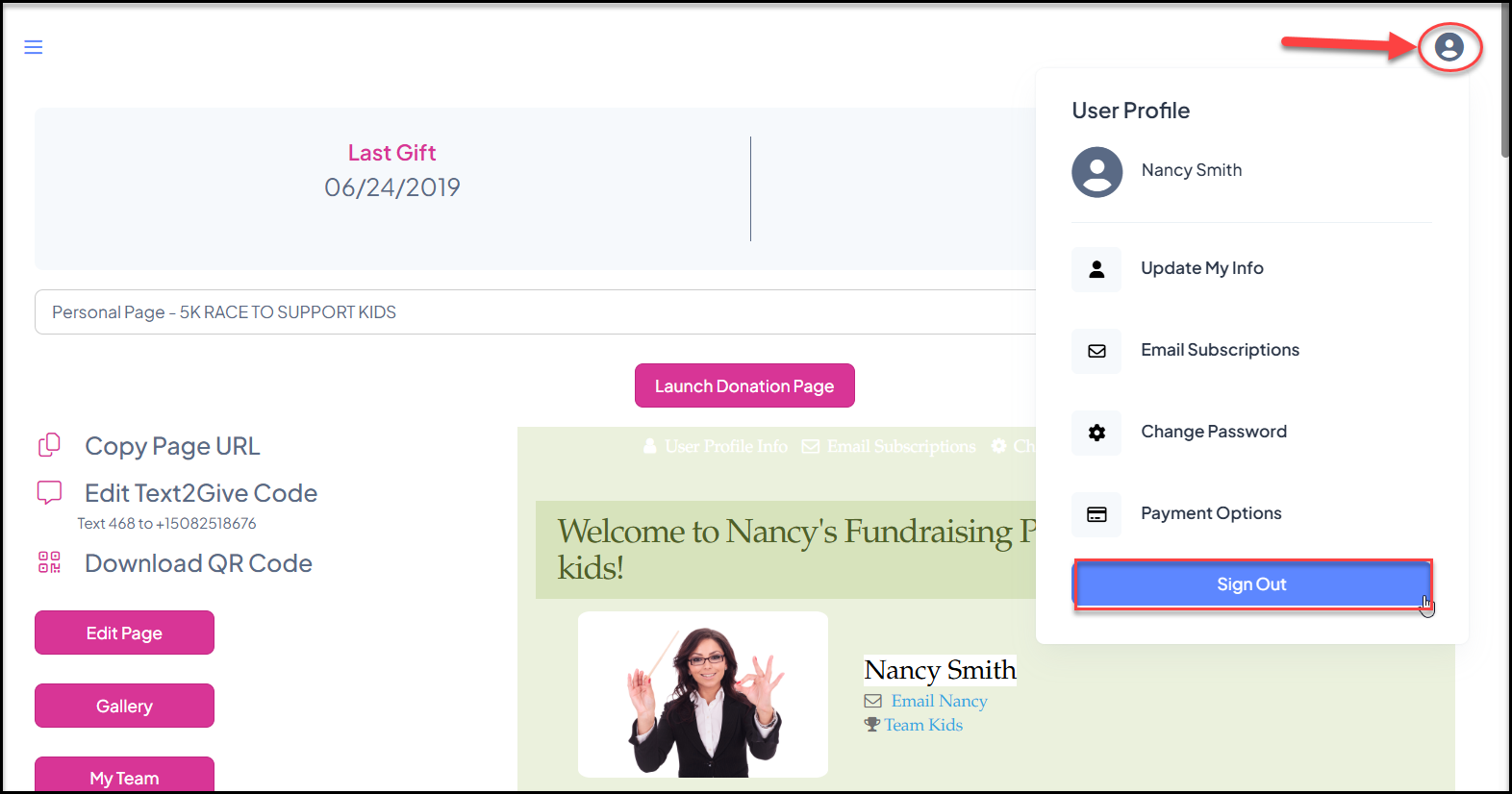
Once in the participants portal account you can update their page as needed. Be sure to sign out by clicking on the User icon in the top right corner and click on Sign Out. This will allow you to sign back into AssociationSphere.
Was this article helpful?