How are salutation fields populated and used?
Individual Profiles
In the constituent profile there are several Salutation Fields that can be inserted as mail merge fields in letters, emails, and text messages. These fields are auto-populated when the individual constituent record is created based on the following fields:
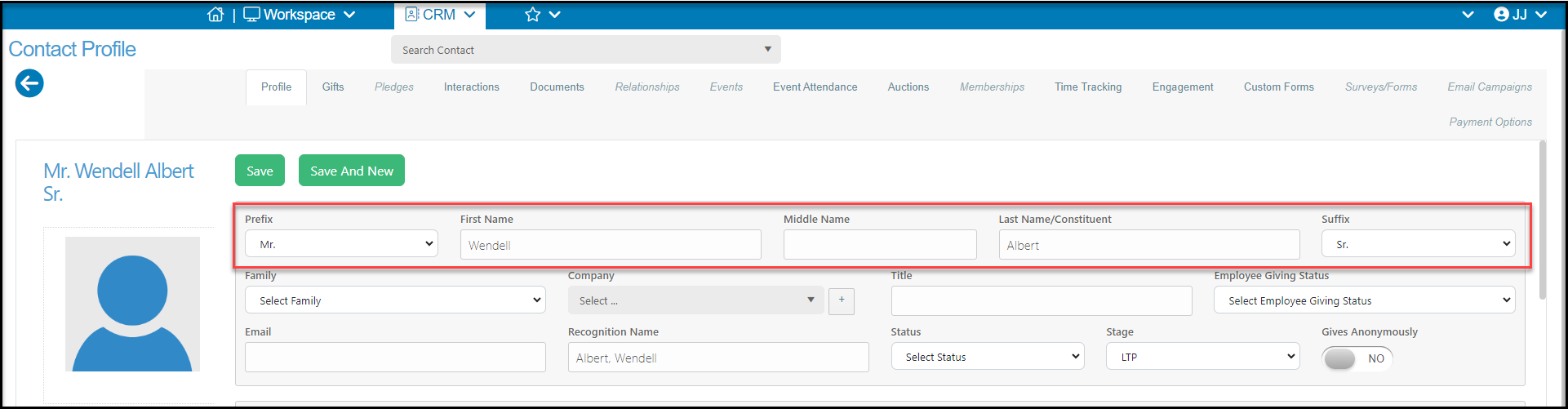
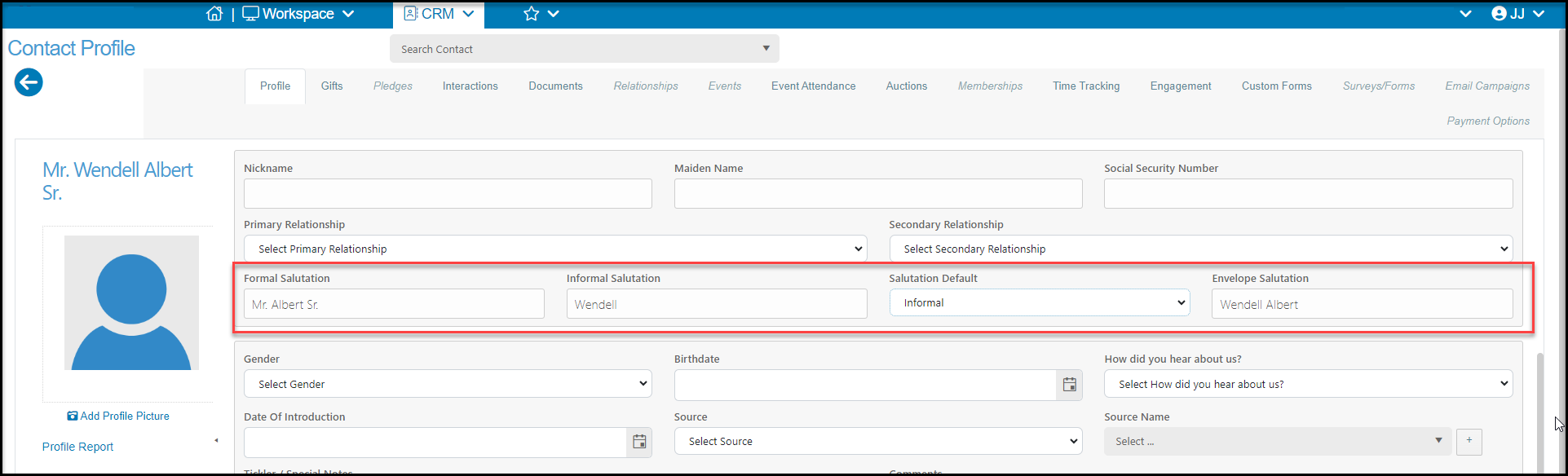
- Formal Salutation - Prefix, Last Name/Constituent, and Suffix (Example: Mr. Albert, Sr.)
- Informal Salutation - First Name (Example: Wendell)
- Envelope Salutation - Prefix, First Name, Last Name/Constituent, and Suffix (Example: Mr. Wendell Albert, Sr.)
- Recognition Name- Last Name (comma) First Name or First Name Last Name. (Albert, Wendell or Wendell Albert)
- The default format for Recognition Name changed in the Organization Menu: navigate to Account > Settings > Options > General. Select your desired format from the dropdown menu.
- If you use the QuickBooks integration with Recognition Name as the QuickBooks Customer Name: consult with the individual who manages your QuickBooks before modifying this setting.
- Full Name (available as a Mail Merge field): First Name, Middle Name, Last Name (Example: Wendell J. Albert
These fields are editable, so you can override the auto-populated values. You can add spouses names, nicknames, or other forms of salutations as desired.
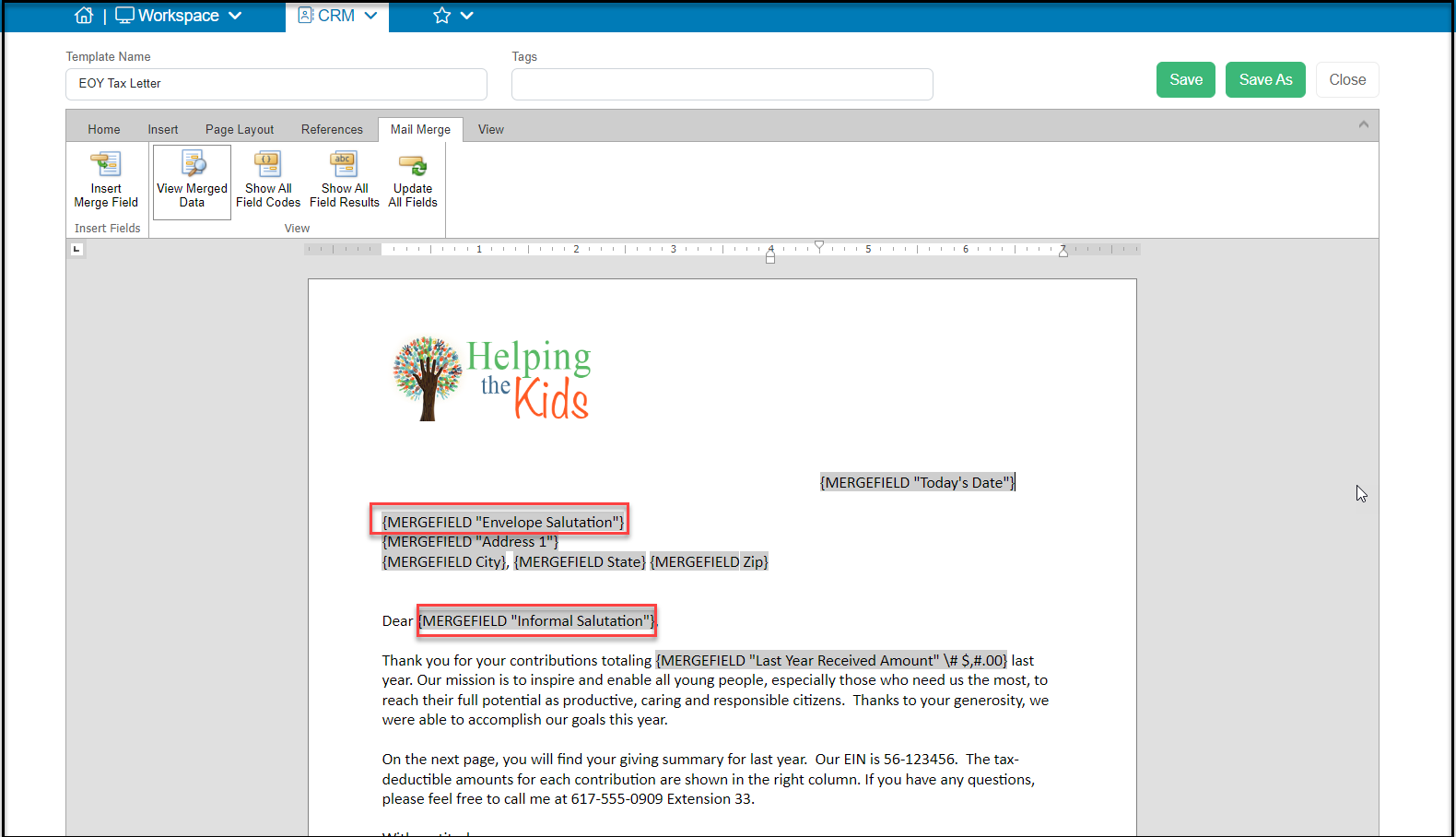
The mail merge fields Formal Salutation, Informal Salutation, and Envelope Salutation are available for mail merge letter templates, email templates, direct emails, and texts messages.
Company Profiles
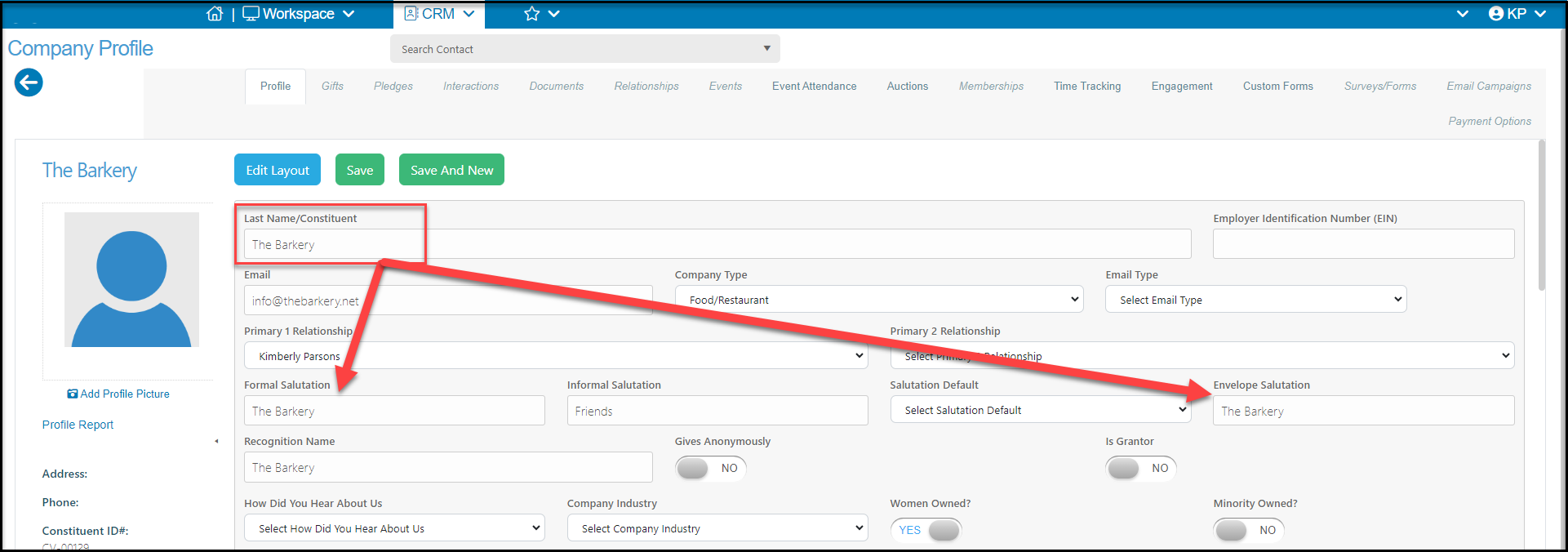
For company profile types, only the Formal and Envelope salutation auto-populate with the Last Name/Constituent field information.
You can manually add the name of the primary contact or you could add something like "Friends," Supporters," or "Members" for companies that you would like a more generic greeting to be used.
This is helpful when using mail merge letters that may be sent to individuals or companies, especially if you do not consistently use Prefixes for your individual constituents.