
How do I change my password?
Updated Jun 6, 2025·1 min read
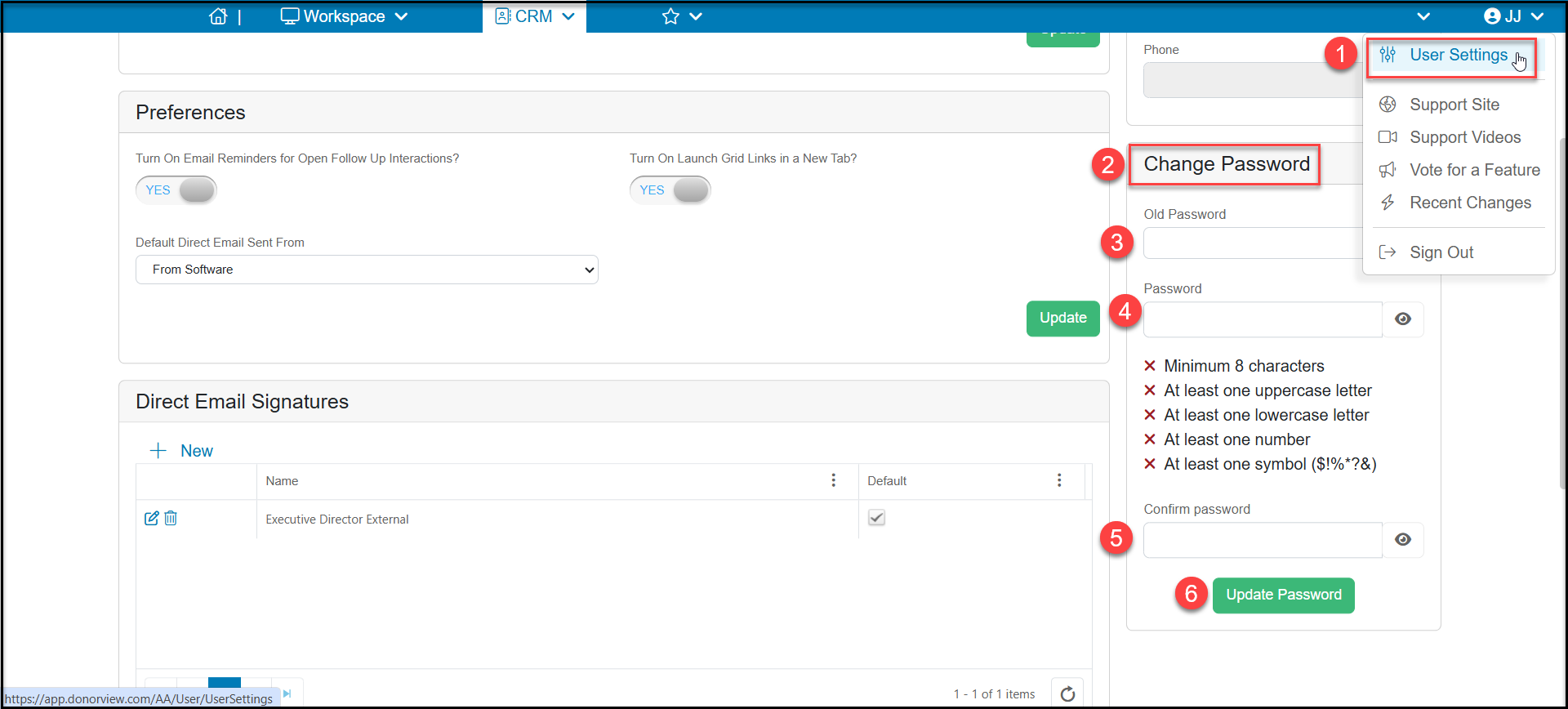
- Mouse over your initials in the upper right-hand corner and click User Settings (1).
- Under Change Password, (2) enter your old password (3), then enter your new password (4).
- Confirm your new password (5) and click on Update Password (6).
Was this article helpful?