
How do I collect credit cards prior to the auction-event?
-
Prior to the auction-event credit cards can be collected, and bidders can be pre-registered for the auction by contacting the event attendees from the Event Attendance grid.
-
The Event Attendance grid includes a column, CC on File, which indicates if the event attendee has a credit card on file. This column may be on the far right side of the grid.
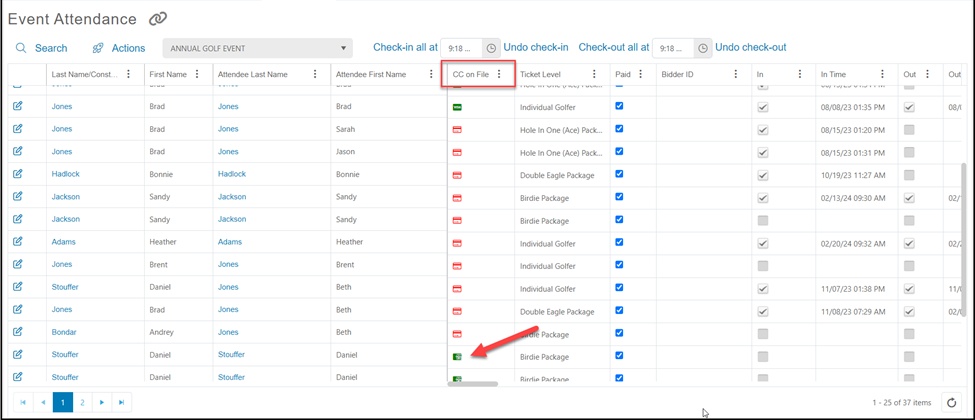
a. A red icon indicates there is no card on file.
b. A green icon indicates there is at least one credit card on file. Hoovering over the green icon will reveal the last four digits of the card and the expiration date.
-
If there is an email address for the attendee, be sure it is a unique email address for the attendee if you are having an online auction and text-2-bid.
-
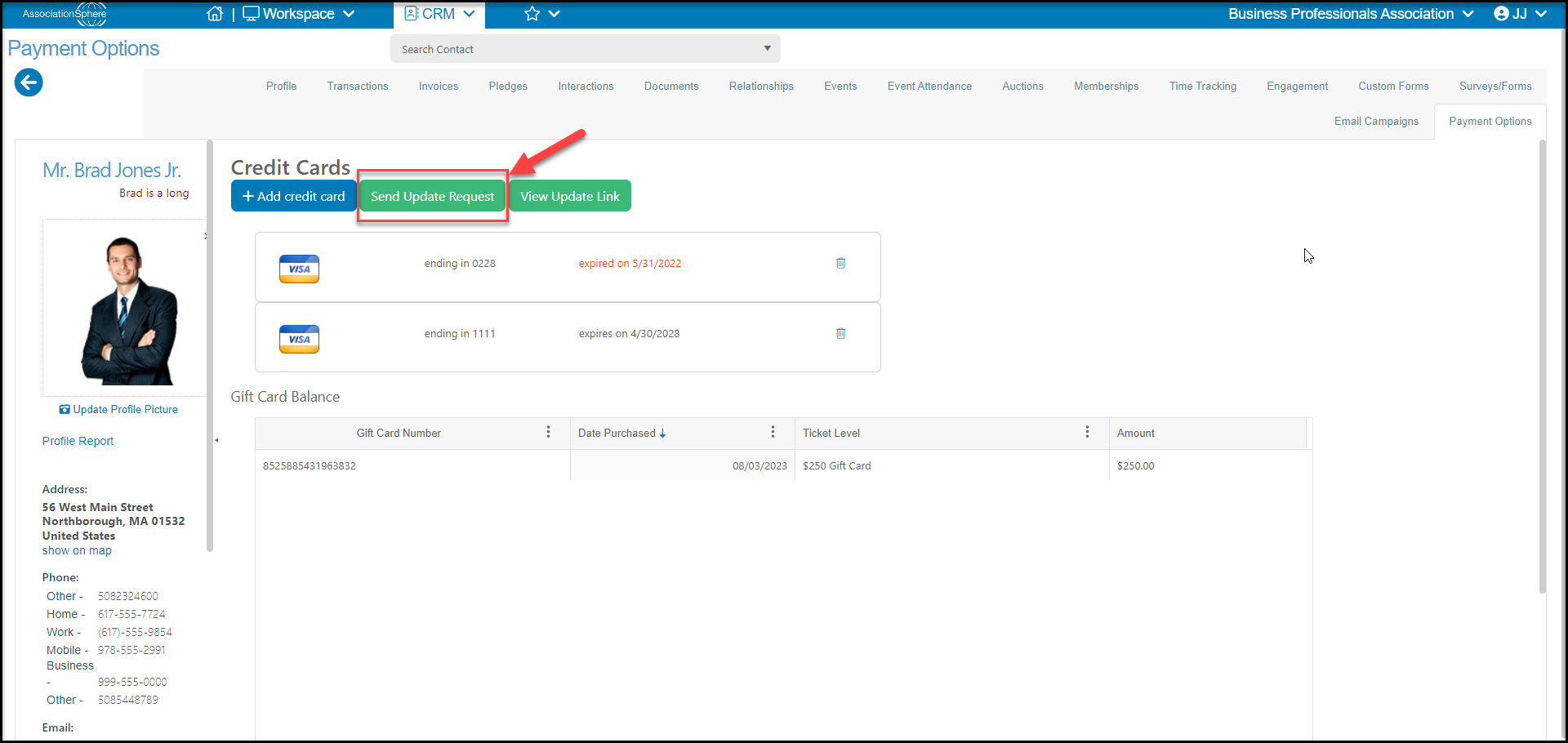
Right click (or control CTRL click) on the credit card icon to open the constituent’s Payment Options tab in their record.
-
Each credit card update request must be sent individually. There is currently no way to send this as a batch due to encryption requirements for the update links.
-
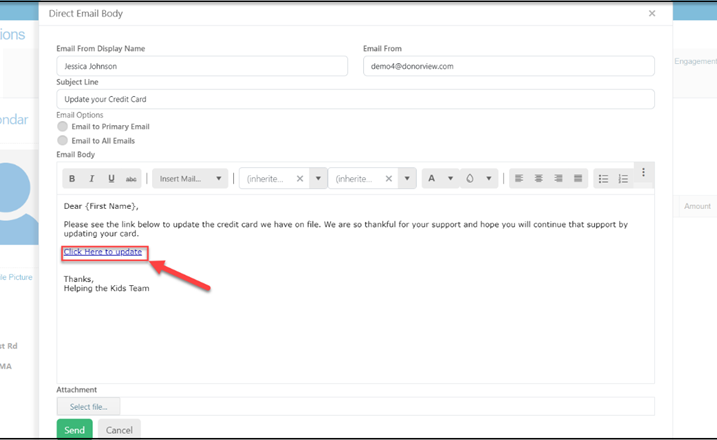
Click on the green Send Update Request to generate an email to the constituent to request that they add a credit card to their account.
-
When the recipient clicks on the “Click here to update” link they will be directed to a unique, encrypted link to allow them to add their credit card information securely and it will be stored in their account.
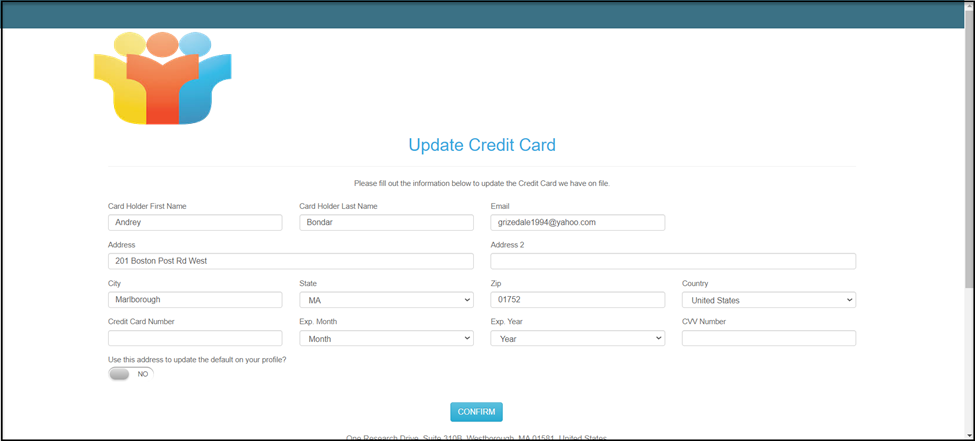
- Once a credit card is on file for the constituent, the icon under the CC on File column on the Event Attendance grid will change to green.