
How do I grant admin access to another user?
Updated Sep 23, 2026·1 min read
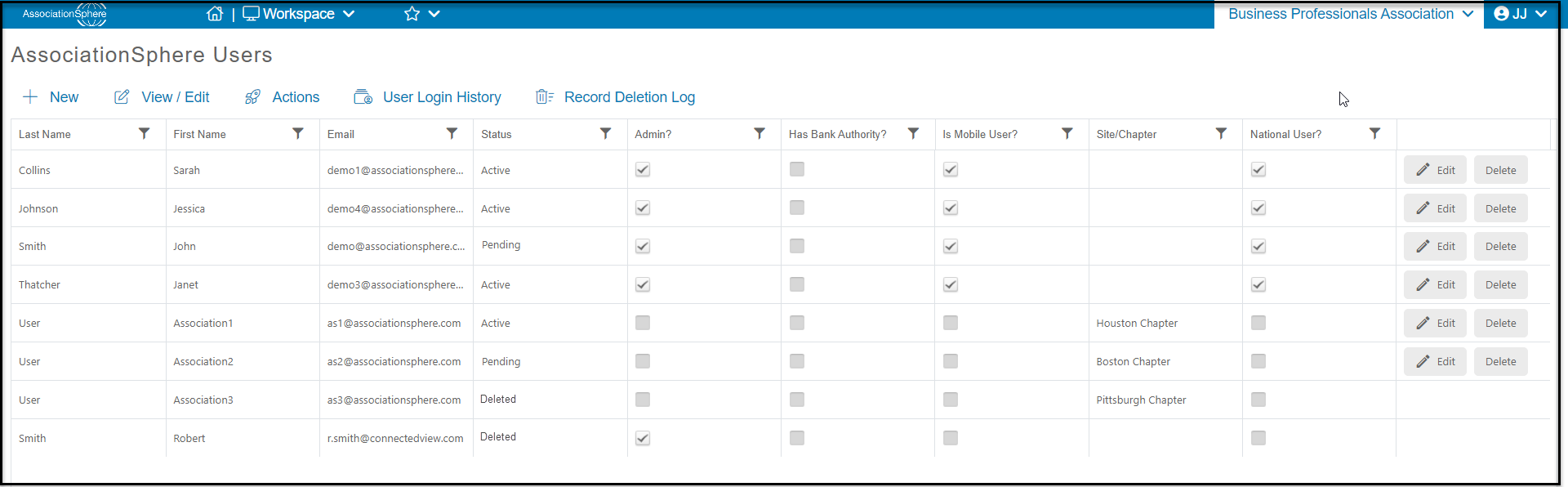
You can grant admin access to a user by checking off the checkbox that is located in the fifth column to the right that is labeled “Admin?” You can also grant admin access to a user by clicking the “Edit” button that is in the same row of the user you would like to grant admin access to. A box will pop up and you will be able to edit the first and last name of the user, as well granting admin access to the user by checking off the “Grant Admin Access” checkbox and then clicking the green “Save” button.
Was this article helpful?