
Incoming SMS Notifications
Updated Oct 1, 2026·1 min read
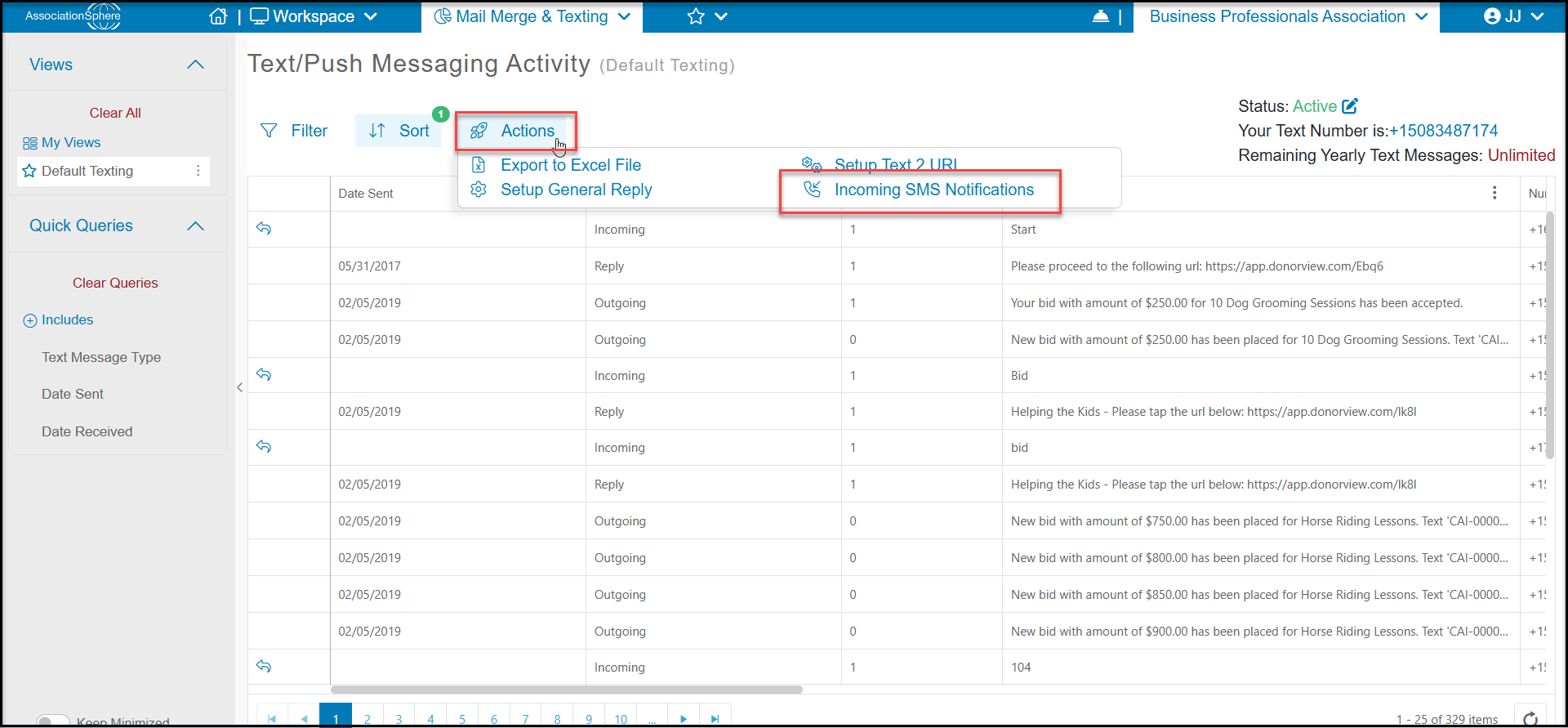
To setup notification for incoming text message navigate to Workspace>Reports>Text Message Activity. Once on that page mouse over the “Actions” menu and click “Incoming SMS Notifications”. A dialog will popup, her you will be able to turn on “Send Email for Incoming SMS” setting and enter in up to 5 email addresses with a semicolon between each addresses. You can also turn on the “Send Text for Incoming SMS” setting and enter in multiple phone numbers to receive notifications.
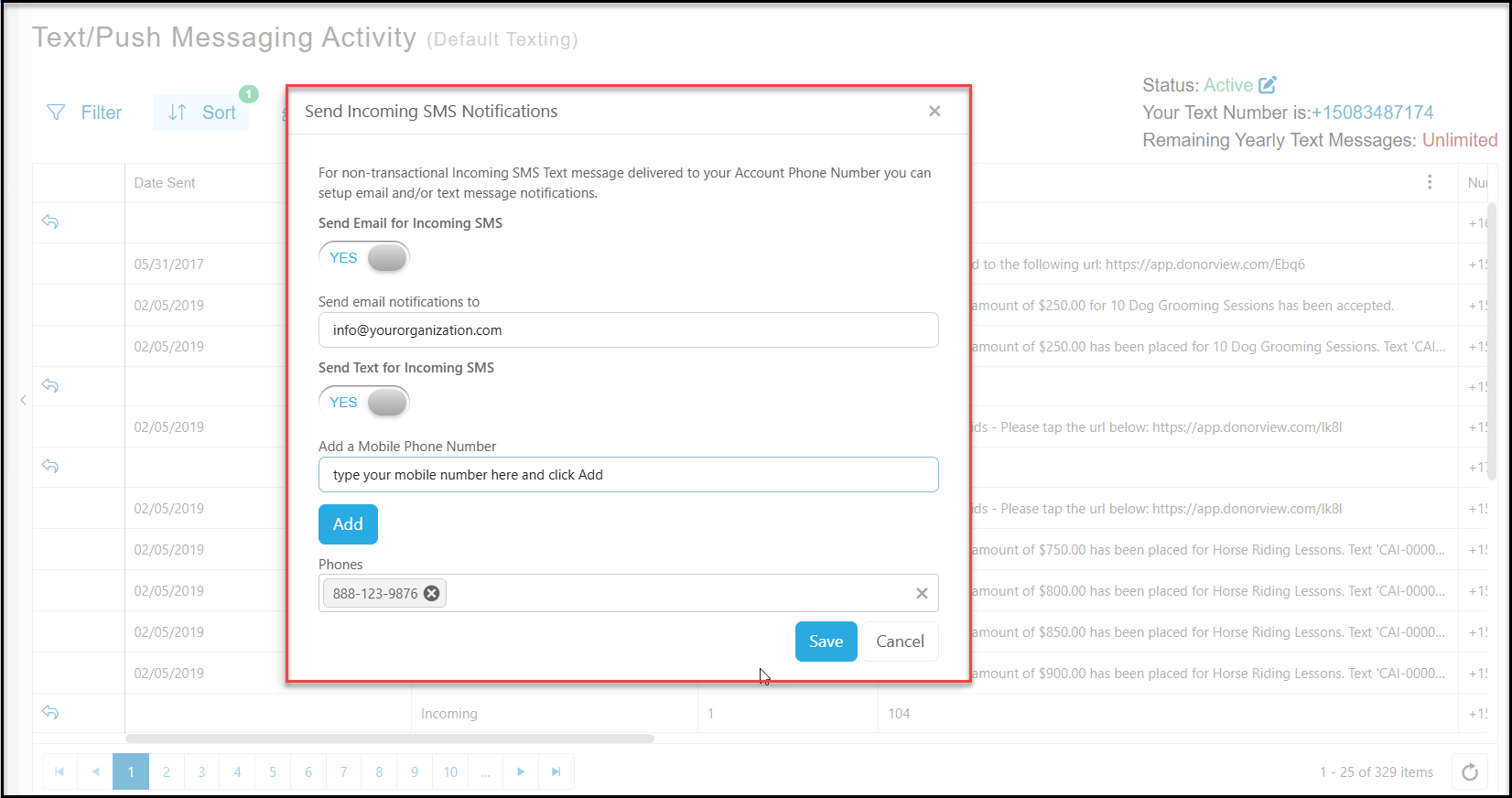
To stop these notifications you can remove any phone numbers or email addresses as well as turn off the “Send Text for Incoming SMS” or “Send Email for Incoming SMS” toggle settings.
Was this article helpful?