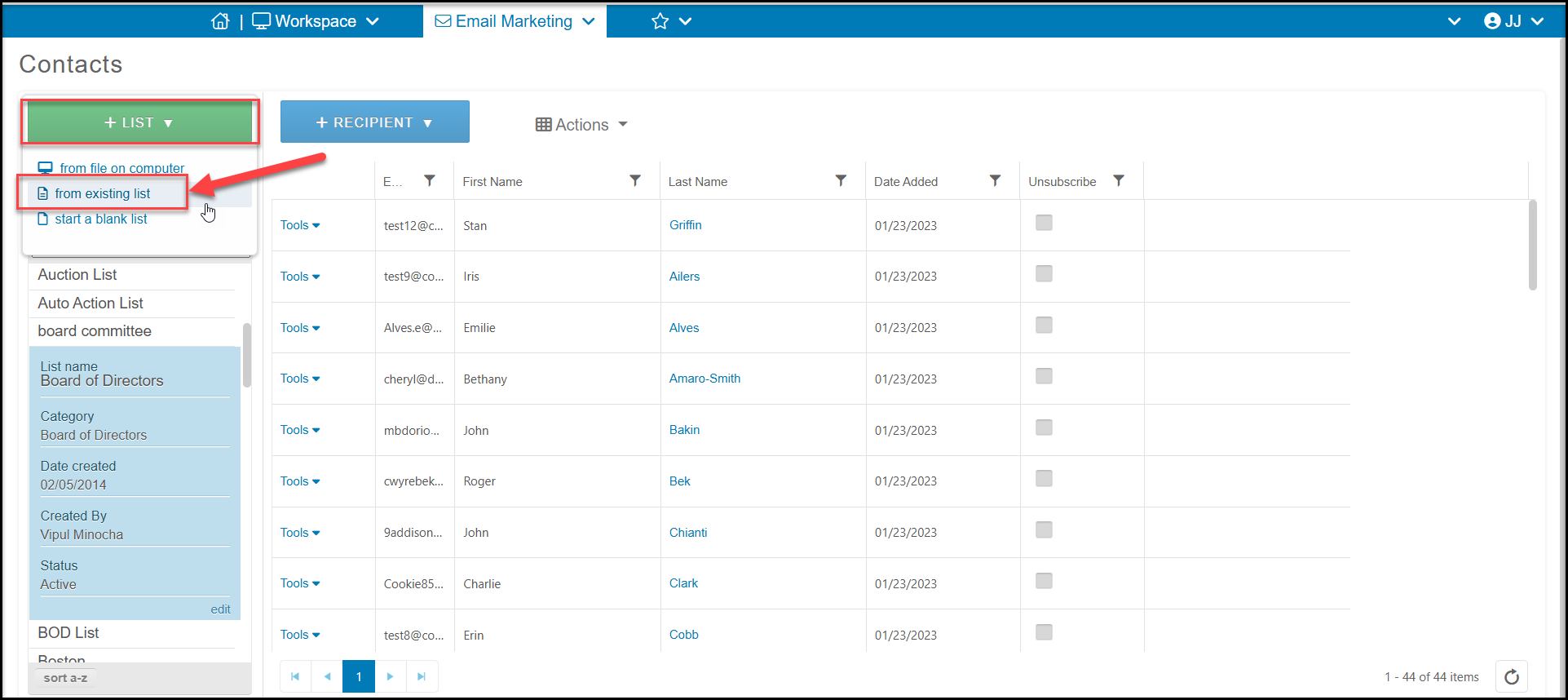
Yes, you can combine multiple lists into one list by clicking on +List and selecting from existing list.
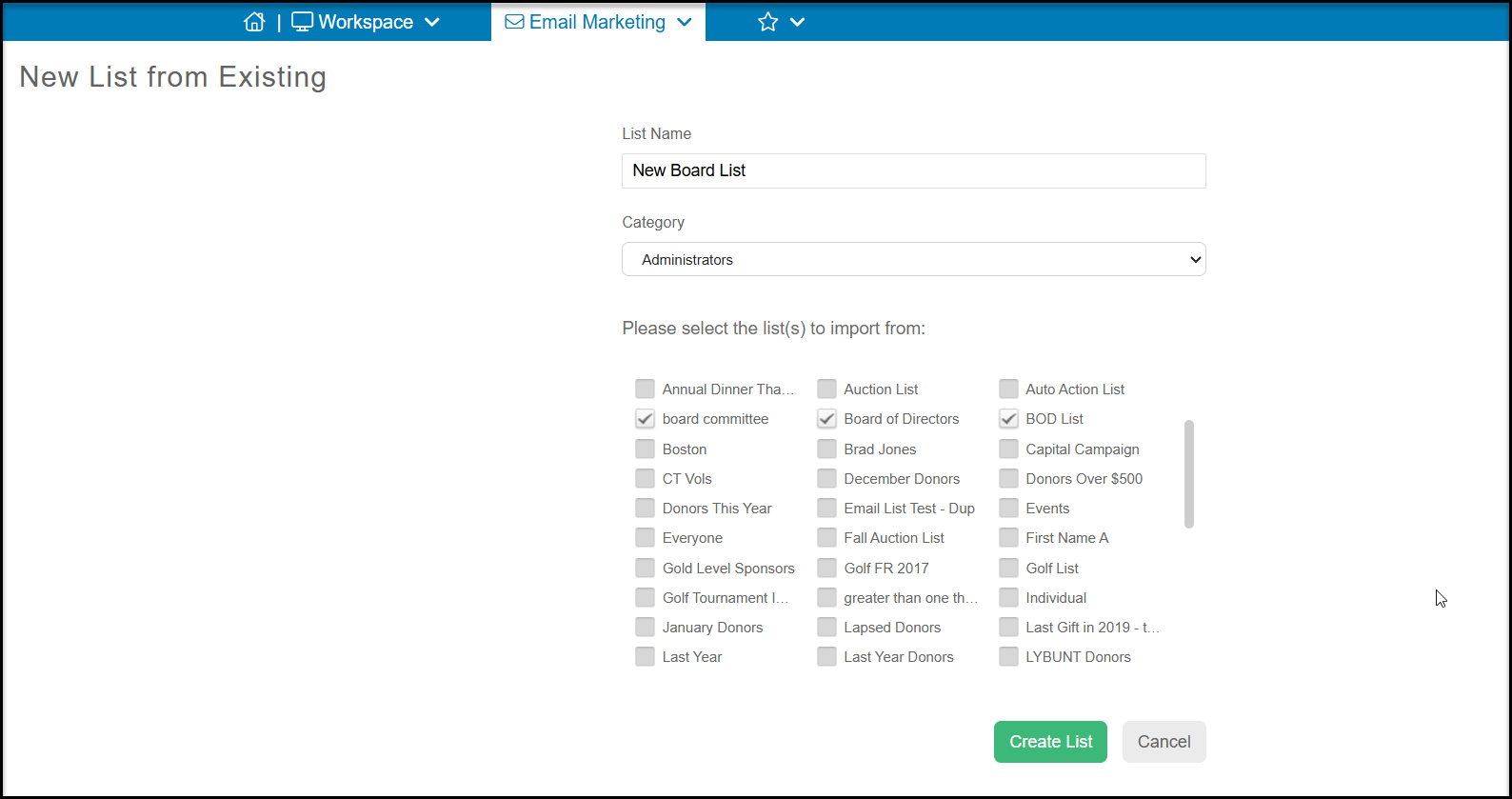
A new window will open to allow you to name the new list under List Name, assign it to a list Category, and select two or more lists to combine into one list. The list will automatically remove any duplicates. Click Create List when finished. The previous lists will still be available, however all the names will now be combined into your new list.