Constituent Definition
In AssociationSphere, a constituent is any contact record in the database. This could include members, non-members, vendors, sponsors, event attendees, email list subscribers, government agencies, volunteers, prospective members, staff and more! A constituent is any person, group, or organization you communicate with, record transactions for, or is related to another constituent in the database, such as an employer.
There are three types of constituent records in AssociationSphere:
- Individual - which can be an individual person or a couple.
- Company - which is any organization, business, foundation, government agency, church, other nonprofit, or group.
- Household - which is a special record created to combine the transaction histories of multiple Individual records. Households are used for reporting purposes to show the total amount of contributions for everyone who is a member of the household in one record.
Constituent ID and Last Name/Constituent Fields
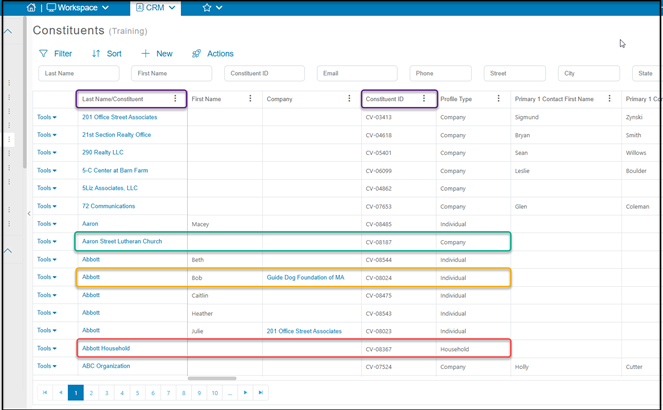
Each Constituent is assigned a unique Constituent ID number when it is created. This can be a number you assigned when your data was imported. Any new records created after data import or records imported without an ID number will have a number that starts with "CV"." This Constituent ID number connects the records the profile record to other transactions and records in the database.
The Last Name/Constituent field is used to identify the name associated with the record. It is used for:
- The Last Name of a person(s) for Individual records (see example outlined in gold below)
- The name of an organization for Company records (see example outlined in green below)
- The name of a household for Household records (see example outlined in red below)
On some grids and fields, you will see the Last Name/Constituent used interchangeably with Last Name. Whenever you see “Last Name” know that it may contain the last name of a person, the name of an organization, business, or company, or the name of a household.
Company Field
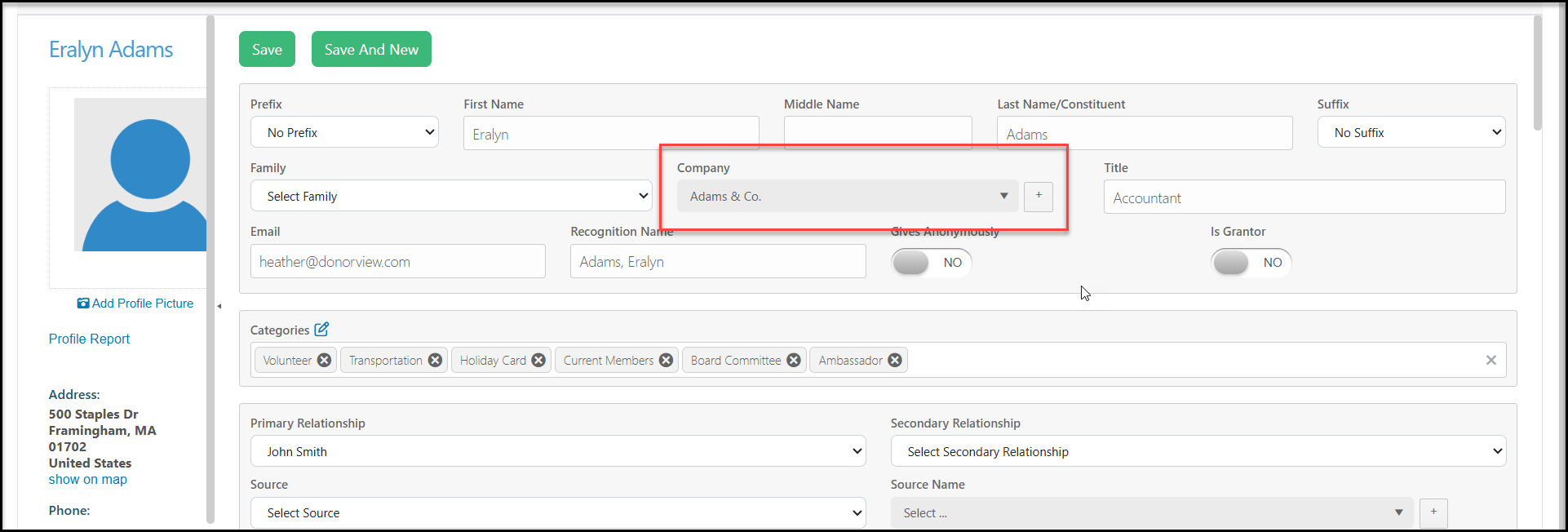
There is also a field associated with individual constituent records called Company (outlined in purple below.) This field represents the name of the company record that an individual record is related to with an employer-employee relationship. You can think of the Company field as employer. It will only show data when the name of the individual's employer is connected to their record. In the example below, Eralyn Adams works for Adams & Co (shown outlined in gold below.) Adams & Co. also have their own record in the database (shown outlined in green below.)
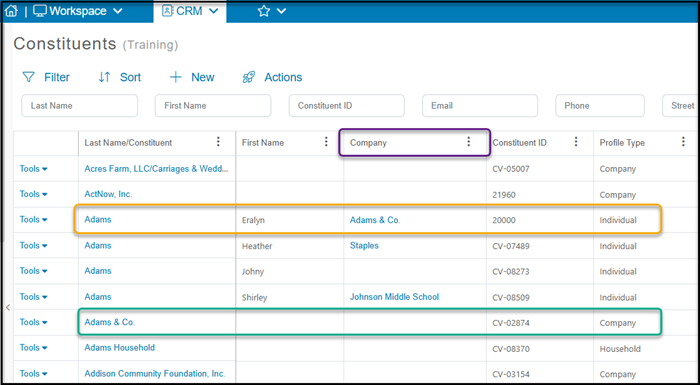
The individual constituent's profile page must have their employer identified in the Company field in order for any information to show on the constituent's grid. When a company-type constituent is selected in this field, it automatically creates an employer-employee relationship between the two record.