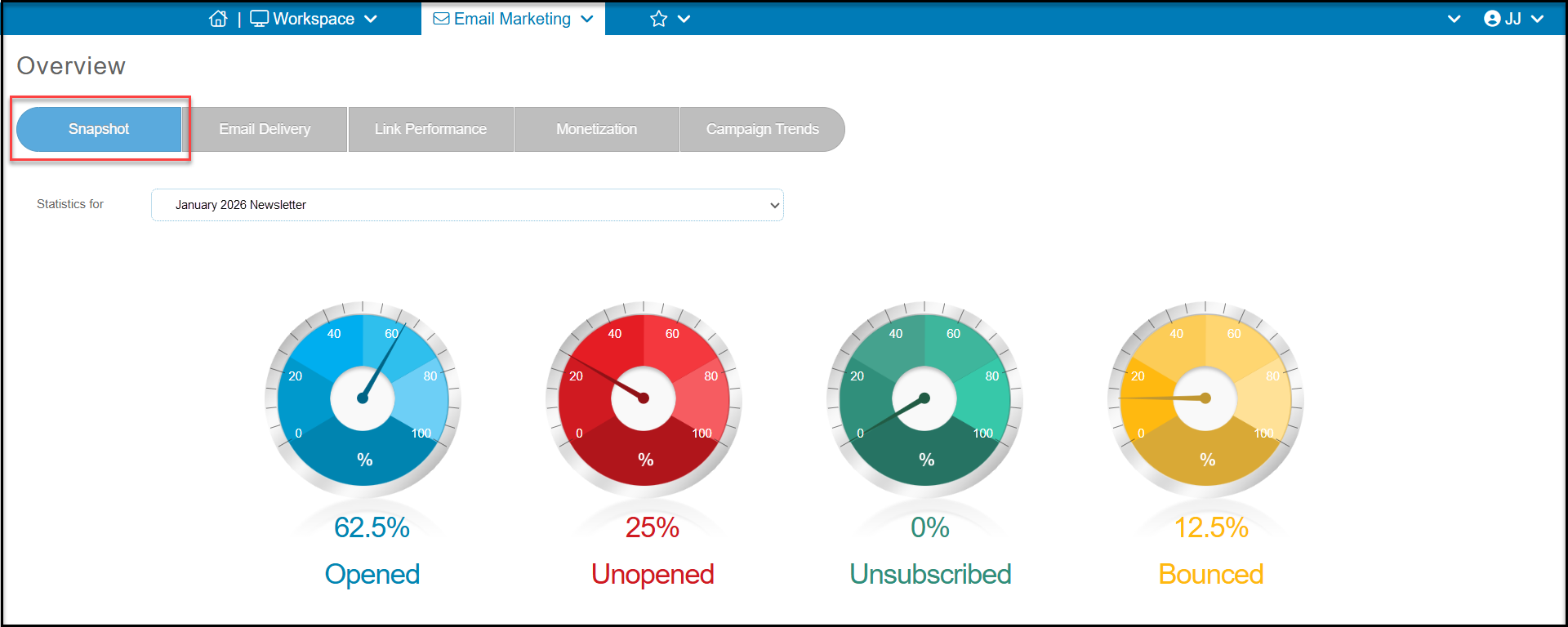
You can see statistics for different campaigns in the Email Marketing module > Overview Page. The first tab is the Snapshot. It will show the overall statistics for the campaigns sent in the last 12 months. Click on the drop-down menu labeled “Statistics for," which is located just above the first blue meter. to select which campaign to view. The meters will then update with the percentages for the campaign you selected.
You can also view information on the other tabs including:
- Email Delivery - to show a chart and grid for each constituent segment, opens, unopens, unsubscribed and bounces.
- Link Performance - includes a graphic and grid to show constituents who click on each link included in the campaign.
- Monetization - summaries the transactions processed for constituents on the email list who made contributions to the links included in the campaign
- Campaign Trends - to compare results of the last 12 campaigns in the last 12 months on open, unopen, unsubscribe and bounce rates.