
Can I resend event tickets to the purchaser?
Updated Oct 7, 2026·1 min read
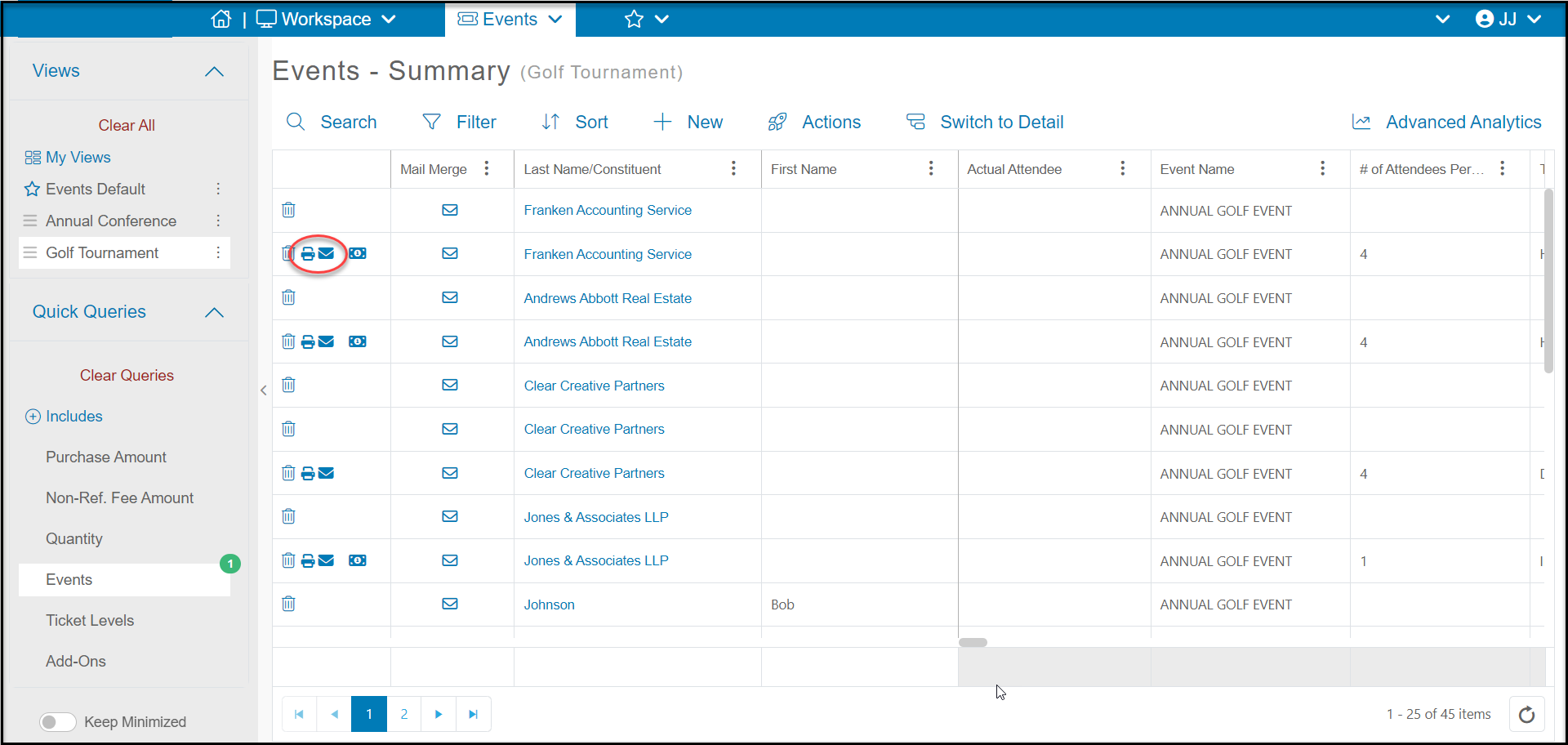
Yes. You can resend a purchaser's (registrant's) tickets from the Events Grid in Workspace > Events > Events by clicking on the solid blue Envelope Icon on the far left side of the grid. Do not confuse this with the Mail Merge envelope icon.
You can reprint the tickets by clicking on the Printer Icon. This will open a new browser tab with the tickets in a pdf file.
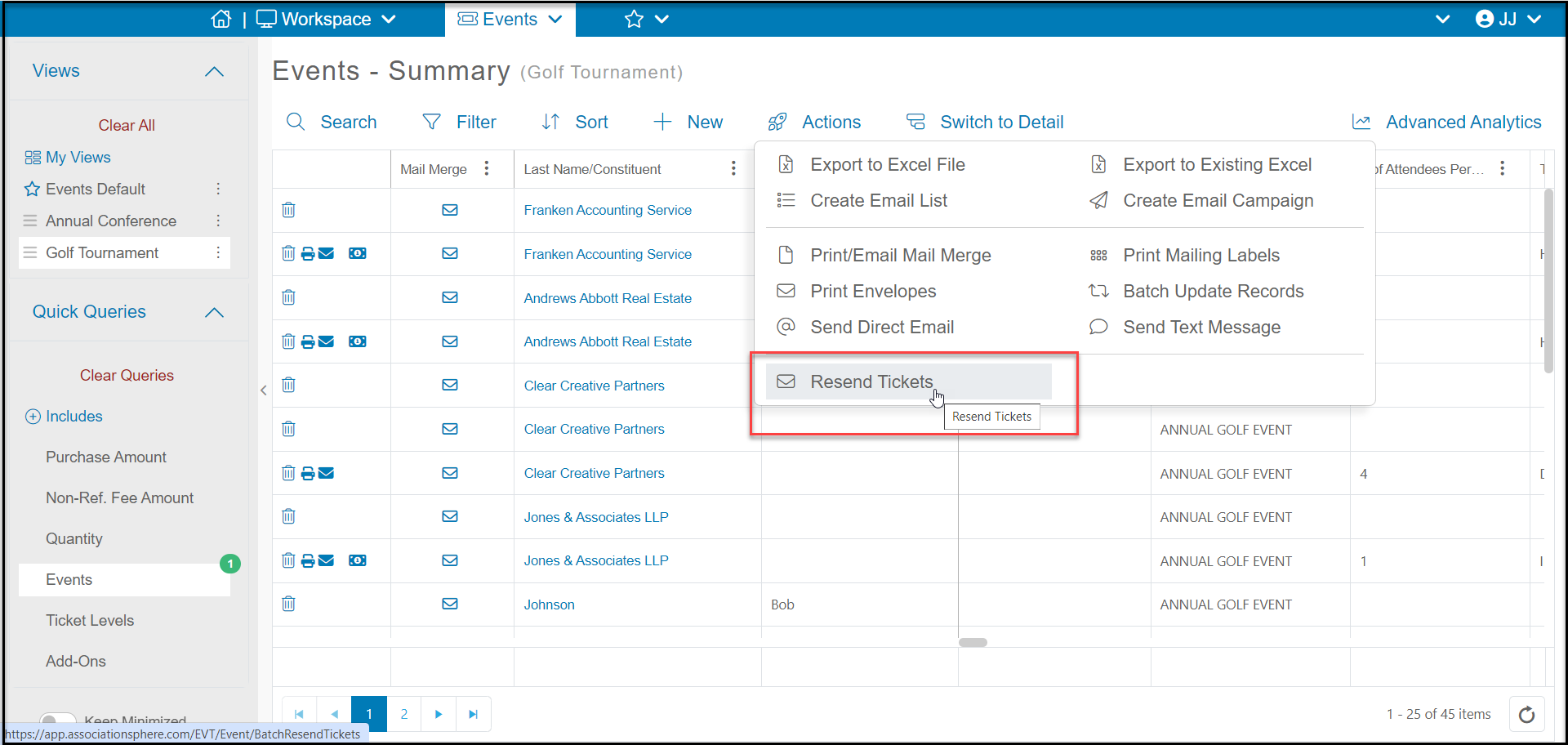
You can resend tickets in a batch to a maximum of 100 registrants on the list by using the Actions menu and clicking on Resend Tickets. If you have more than 100 ticket level transactions for the event, you will need to filter the grid to 100 rows of ticket level purchases.
Was this article helpful?