
What is the Status column on the Events grid?
How to use the Event Status to manage cancellations.
The Status column on the Events grid is used to indicate whether or not the registrant and their guests will be attending the event. If the Status column is not visible in your view, you can use the View Builder to search for it and add it to your view.
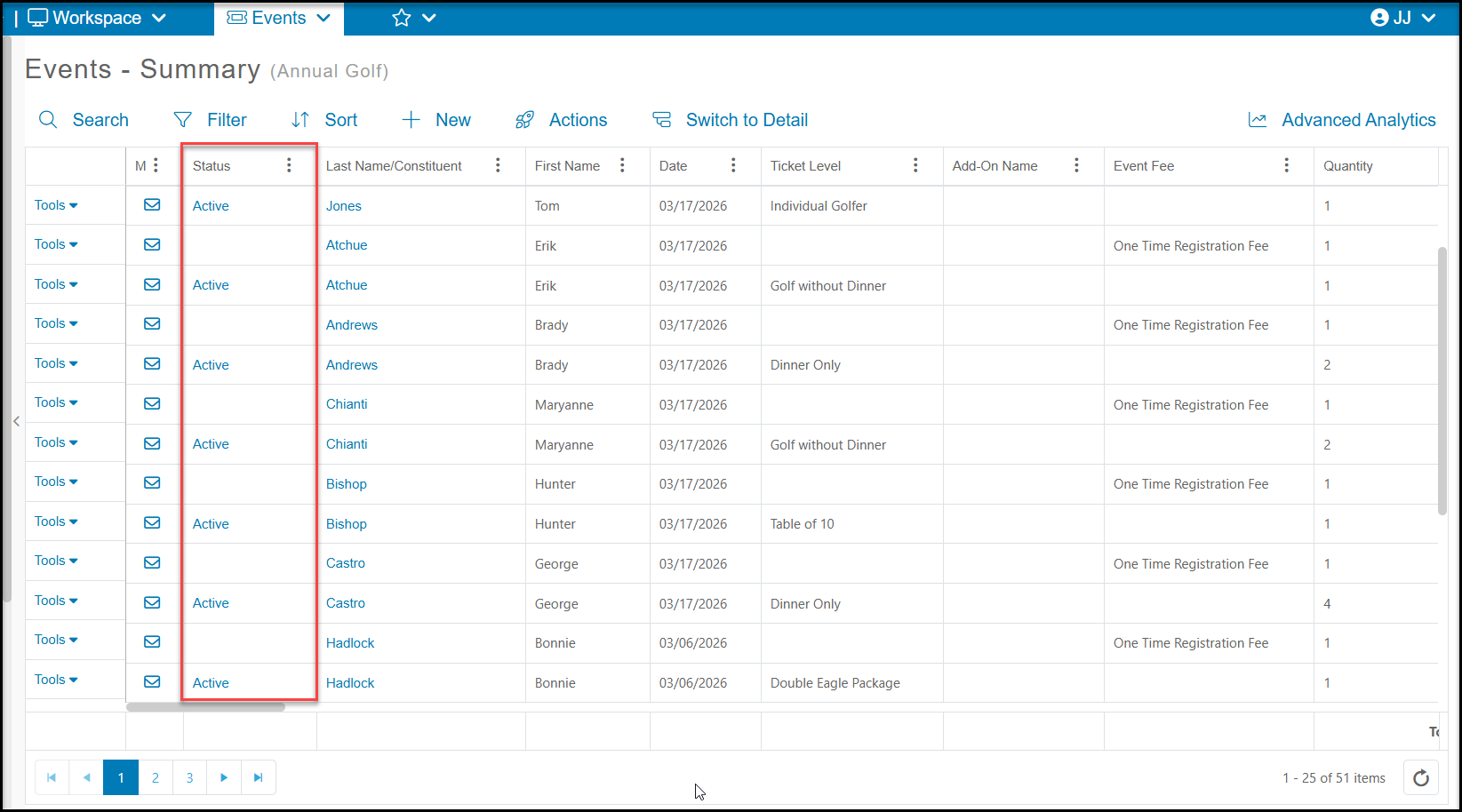
The Events grid provides a list of all transactions recorded for an event. The Status column will automatically display Active for any ticket levels purchased. If the registrant notifies you that they will not be attending the event, but you wish to maintain the record of the purchase, you can use the Status column to update their attendance and release the tickets for purchase again.
Setting the Status to Cancelled will remove the registrant and all their guests (attendees) from the Event Attendance grid. The Status applies to the entire purchase, not individual levels or attendees.
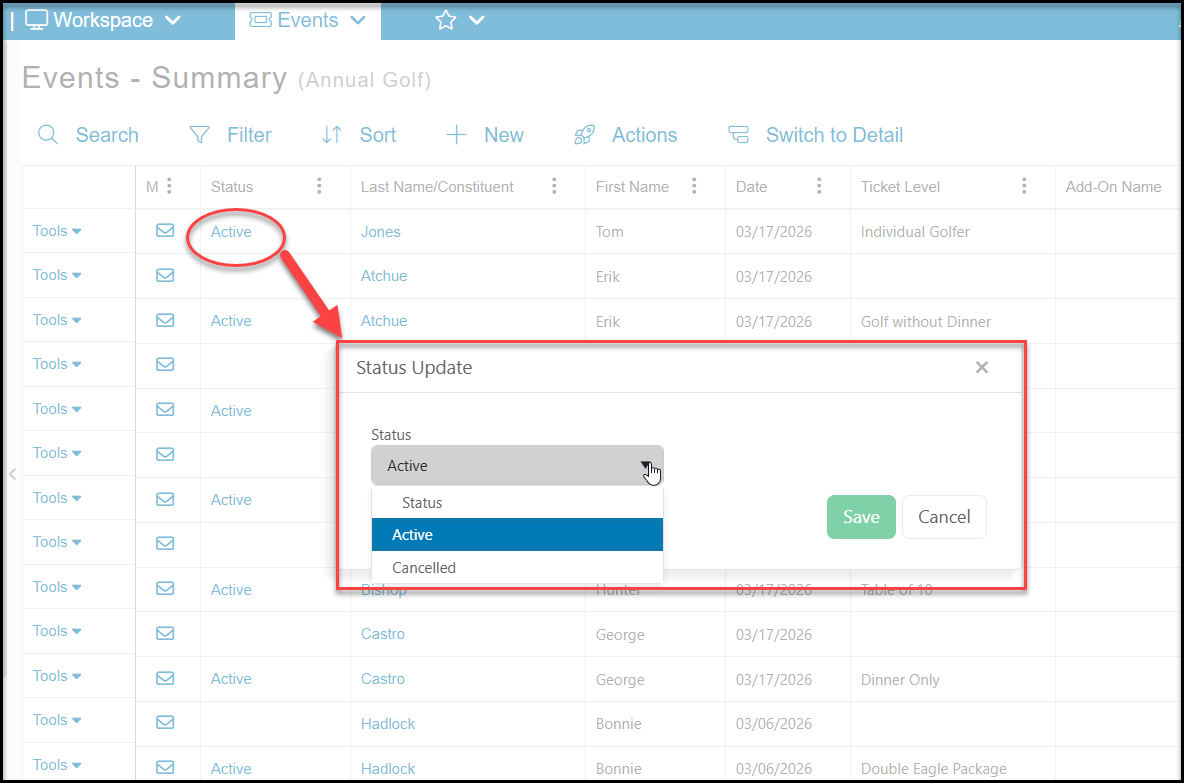
To change the Status, locate the registrant's name in the Last Name/Constituent field. On the row with the ticket level, click the Active link. This will open a new window to update the status. Select Cancelled to maintain the transaction information but remove all the attendees associated with this transaction from the Event Attendance grid. Click Save to complete the change and release the tickets for purchase again.
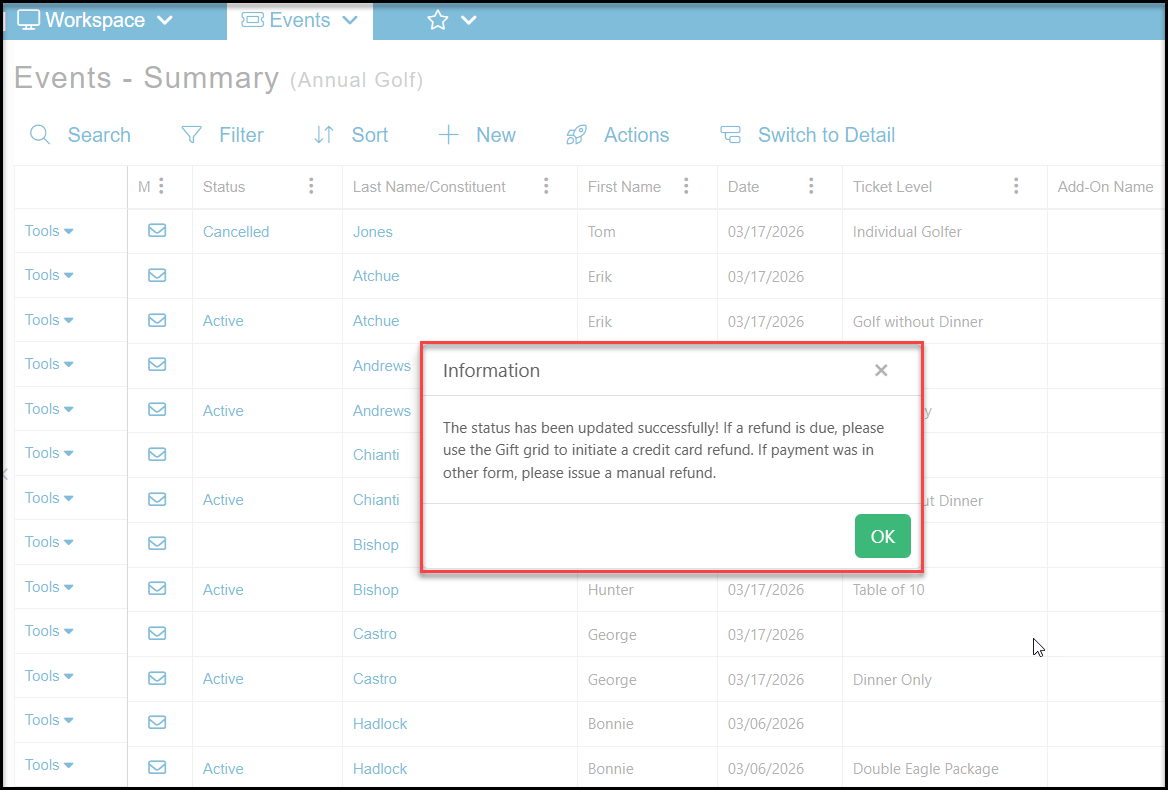
You will receive a confirmation message and the transaction row will be updated with the Status of Cancelled. If a credit card refund is due, refer to this article for instructions on issuing the refund. How do I do a refund back onto a credit card?
For other options for deleting event attendees, see this article How do I delete an event attendee?