
I have scheduled a campaign to be emailed – can I unscheduled it or change the date?
Updated Jul 8, 2026·1 min read
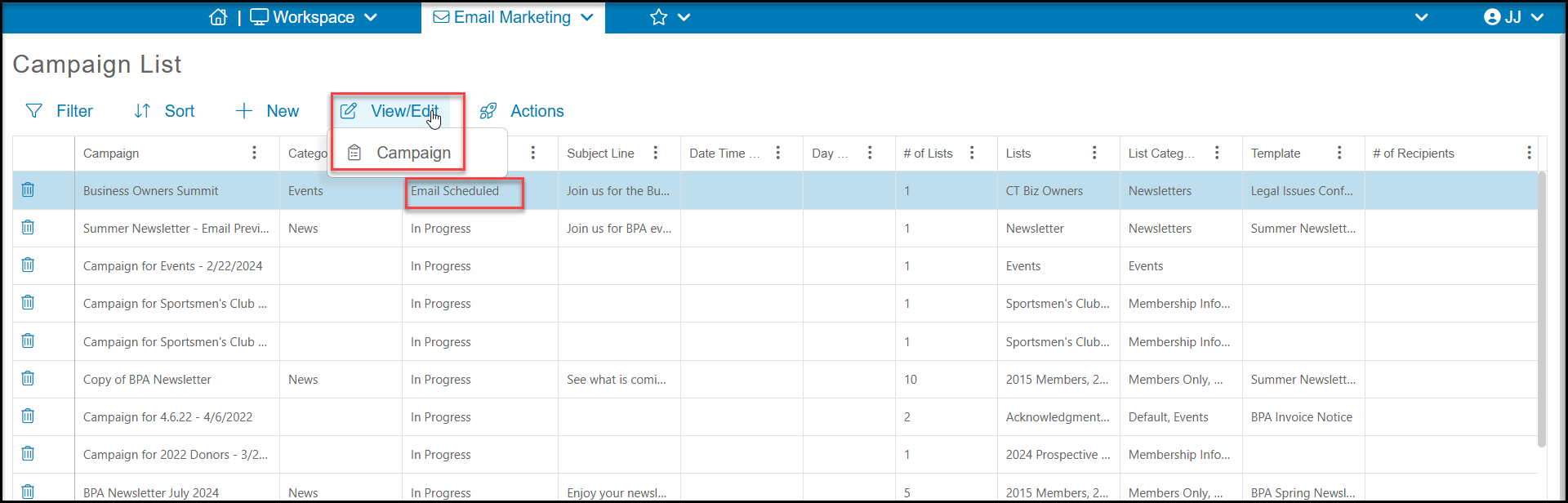
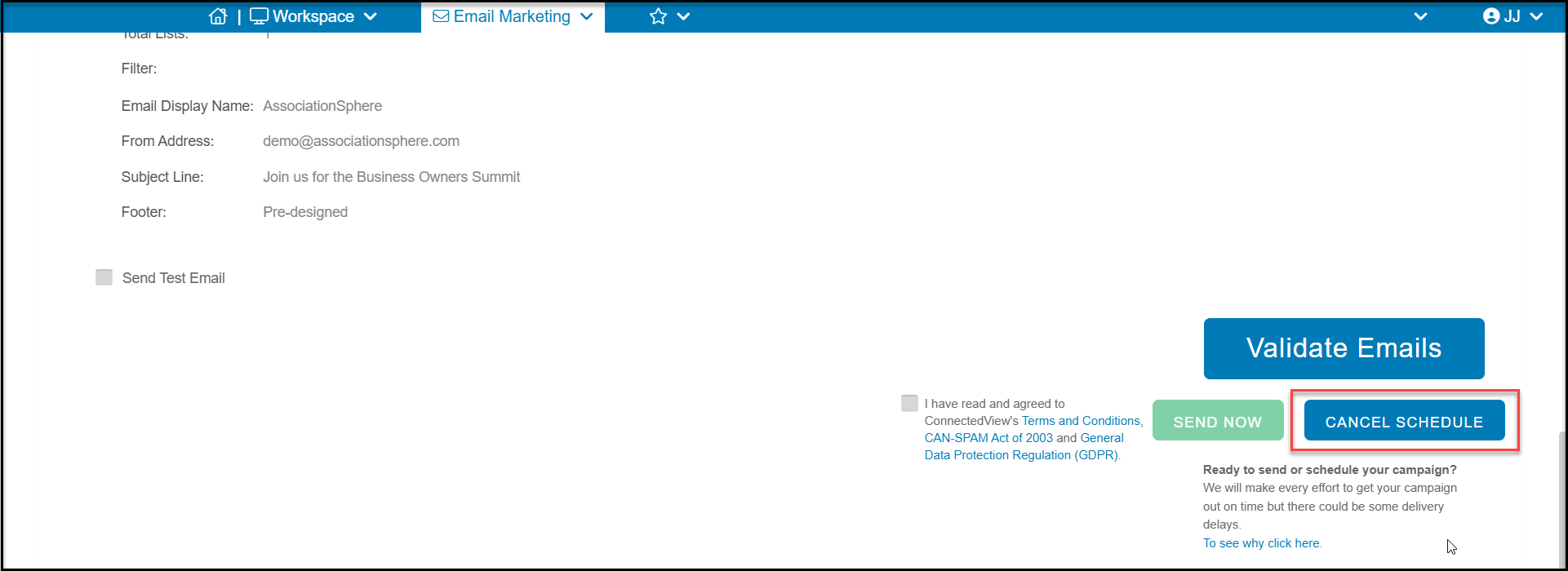
Yes. Select the scheduled campaign from the Campaign List grid and use View/Edit > Campaign to open the campaign. On the Schedule or Send tab, click on the blue CANCEL SCHEDULE button in the bottom right hand corner. The campaign will revert to draft mode and you can reschedule or send immediately using the SEND NOW button.
Was this article helpful?