Can I export documents?
Options for exporting documents from the software.
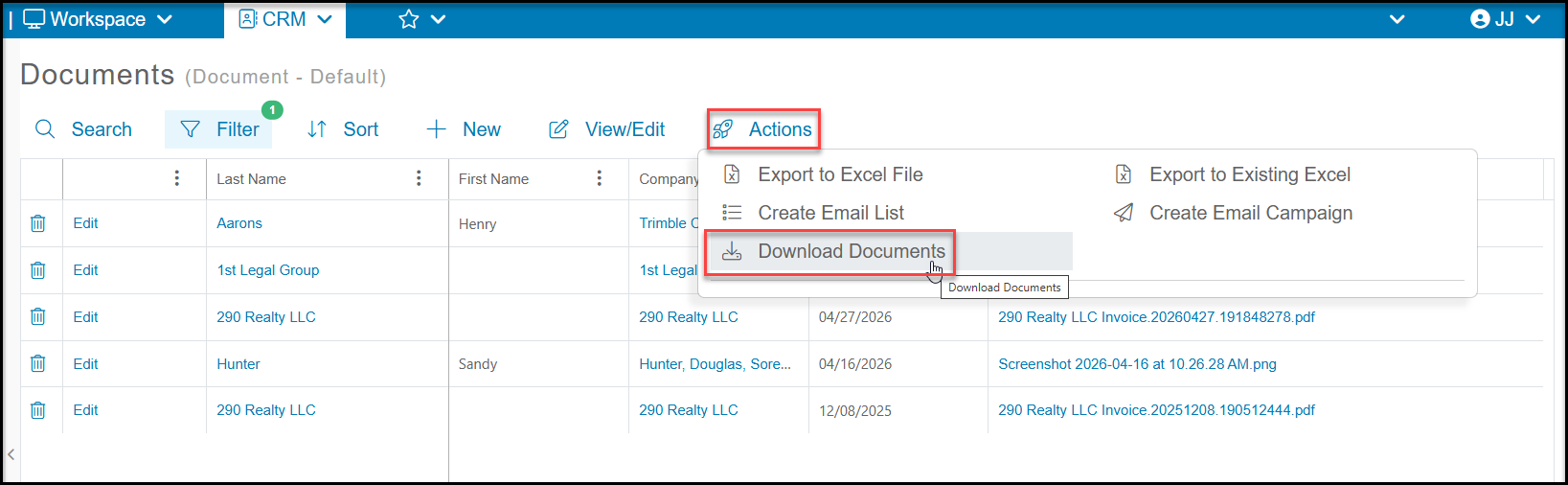
Yes, you can export all the documents in your view into a zip file or you can download a specific document. To export all the document in your view, begin by filtering the main Documents grid to display only those documents you wish to export. Please note there is a limit of 200 documents per download. Once your grid is filtered, go to the Actions menu and select Download Documents. The downloaded file will be a zipped or compressed folder containing the actual files stored for each of the document records displayed on the grid.
If you zip file is not downloading, be sure you do not have your pop up blocked enabled on your browser.
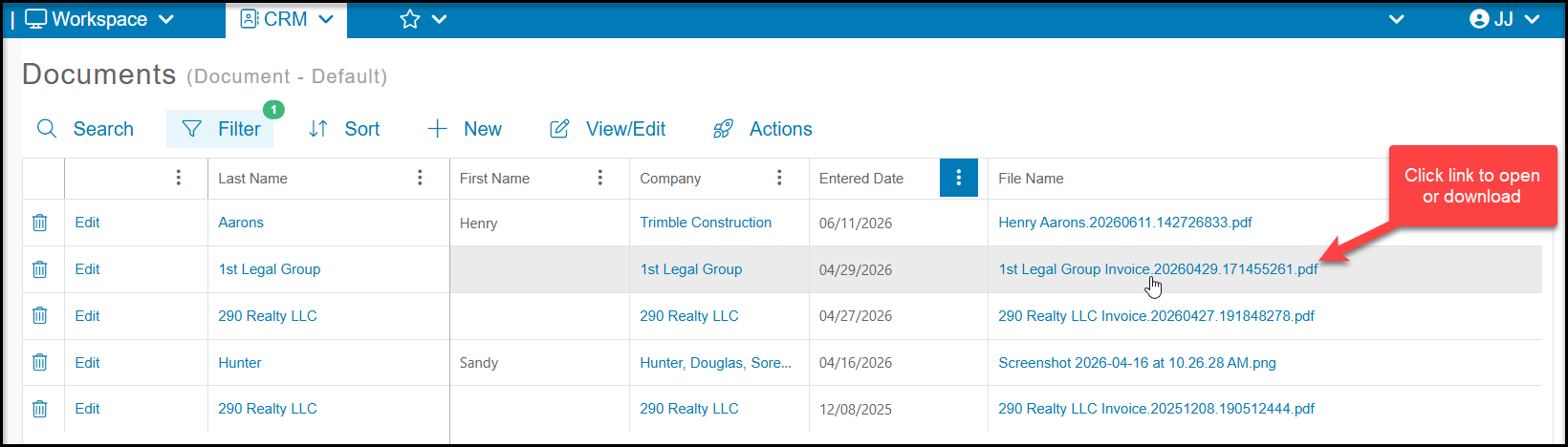
To download a single document, you can click on the link under File Name to download or open the file. This link is available on the main Documents grid as well as the constituent's Documents tab. Pdf, jpeg, and png files will open in a new browser window while doc (Word) and xls (Excel) files will be downloaded to open with the applicable program.
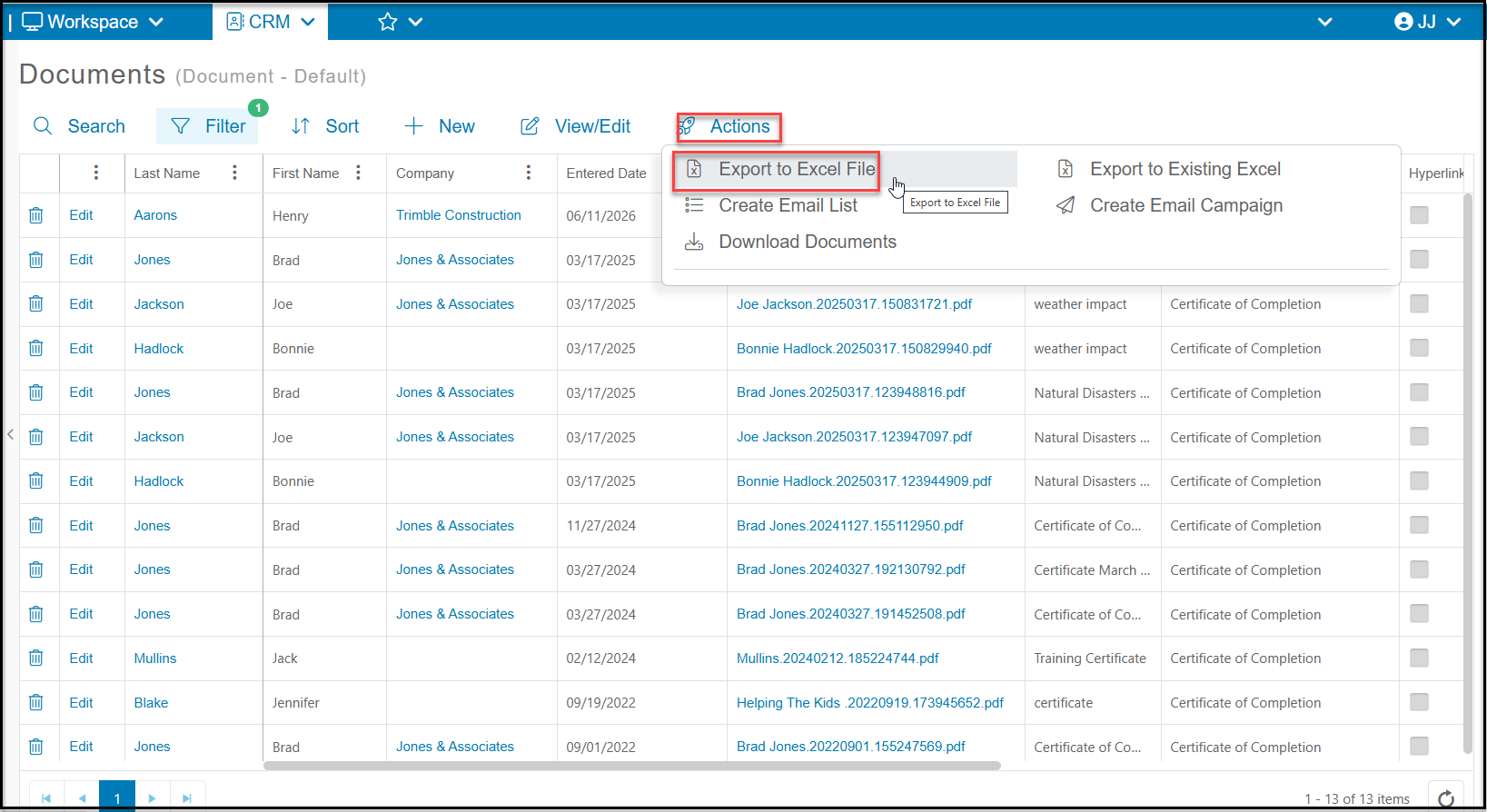
If you simply need a list of all the documents, but do not need to view the actual document, you can filter the Documents grid for the applicable documents and then use the Actions menu and select Export to Excel File to export the list. This feature is helpful if you need a list of all constituents who have a certificate or signed waiver on file. The list includes the names of the files, but they are not hyperlinks and the actual file cannot be viewed from the Excel spreadsheet.