
How do I see all of the documents for just one constituent?
Updated Oct 15, 2026·1 min read
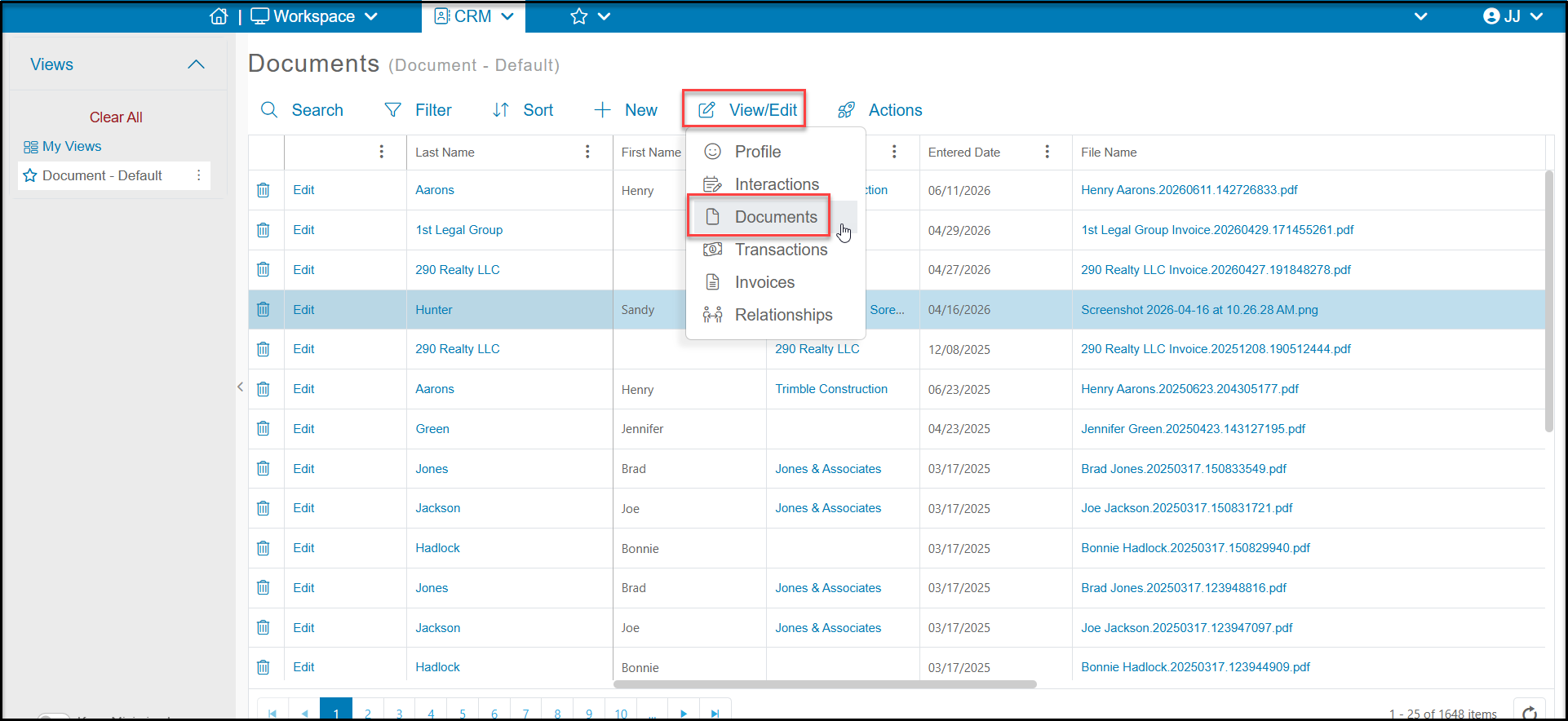
From the main Documents grid, you can use the search box or filters to find the constituent. Click on the row for the constituent, then the View/Edit button and then Documents.
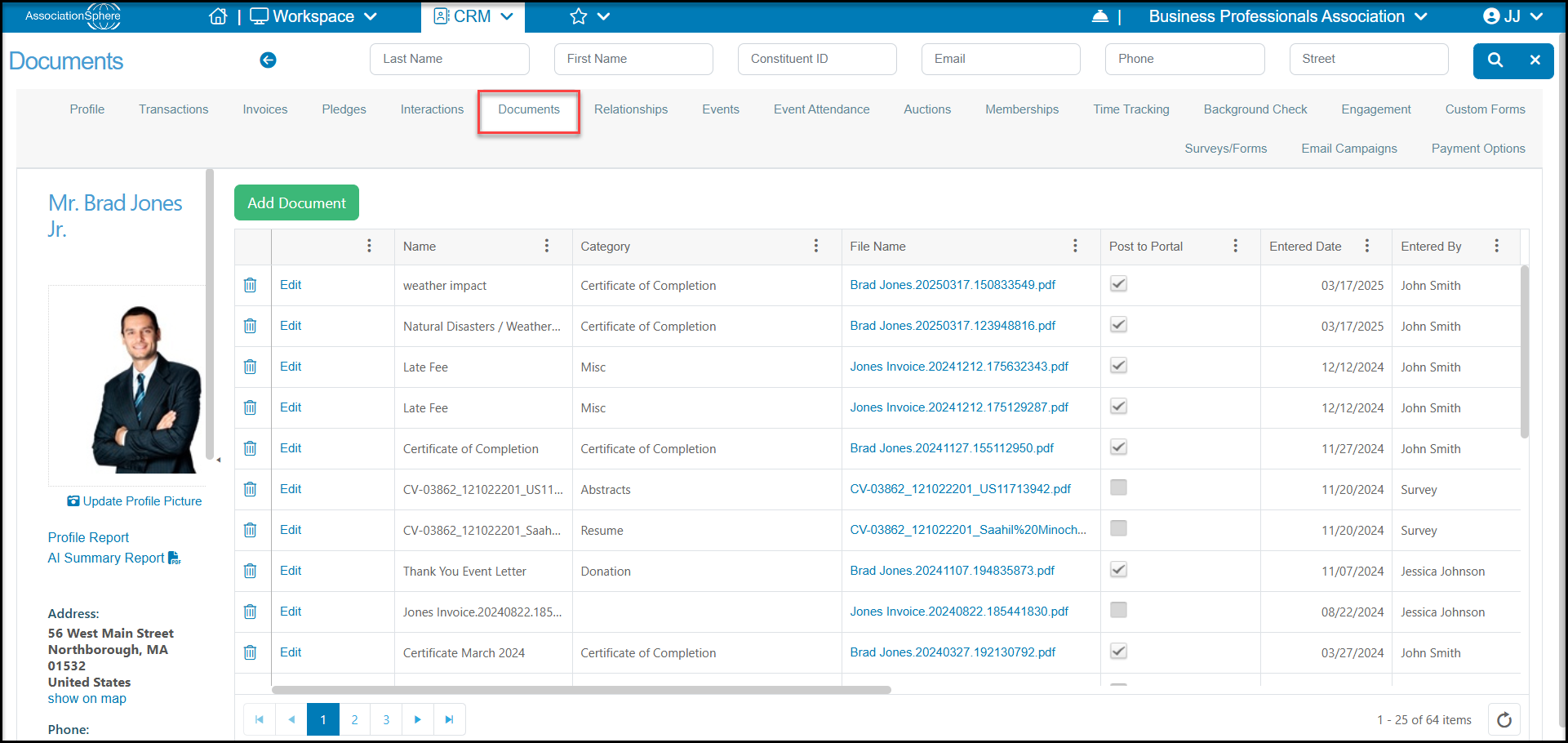
If you are already on a constituent’s record, you can click on their Documents tab at the top of their profile record.
Was this article helpful?