Documents Overview
Features for storing documents associated with a constituent.
Documents can be linked to a specific constituent to store information associated with the constituent. You can upload a document from your computer or you can have the constituent upload their own documents via surveys, events, memberships, or donation pages. This can include things like business licenses, logos, and waivers you wish to store with the constituent's record. You can also archive a copy of any letter you generate using the software's mail merge feature and save it to the constituent's Documents tab. Documents are limited to 10 MB and the software accepts pdf, doc (Word), xls (Excel), png, or jpeg files.
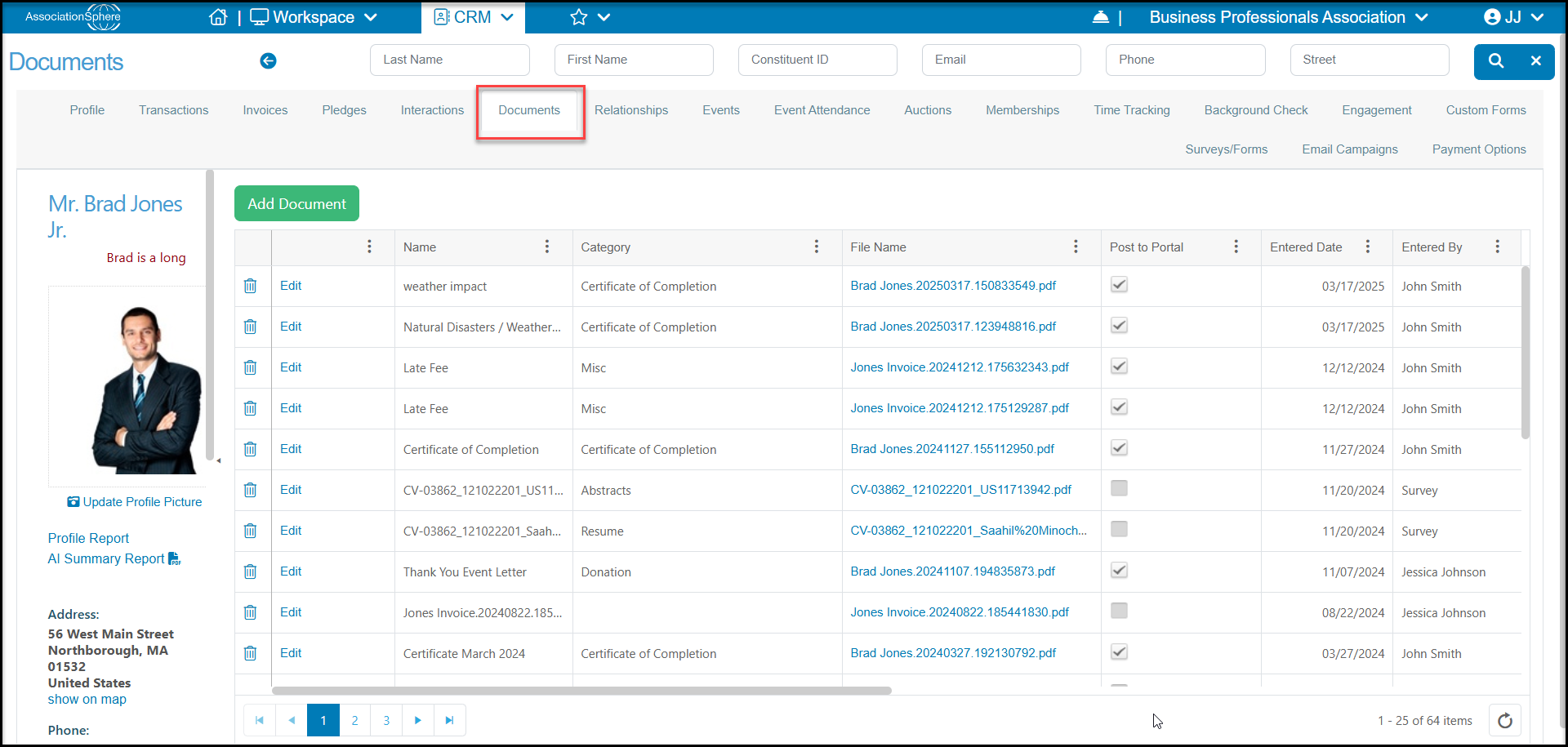
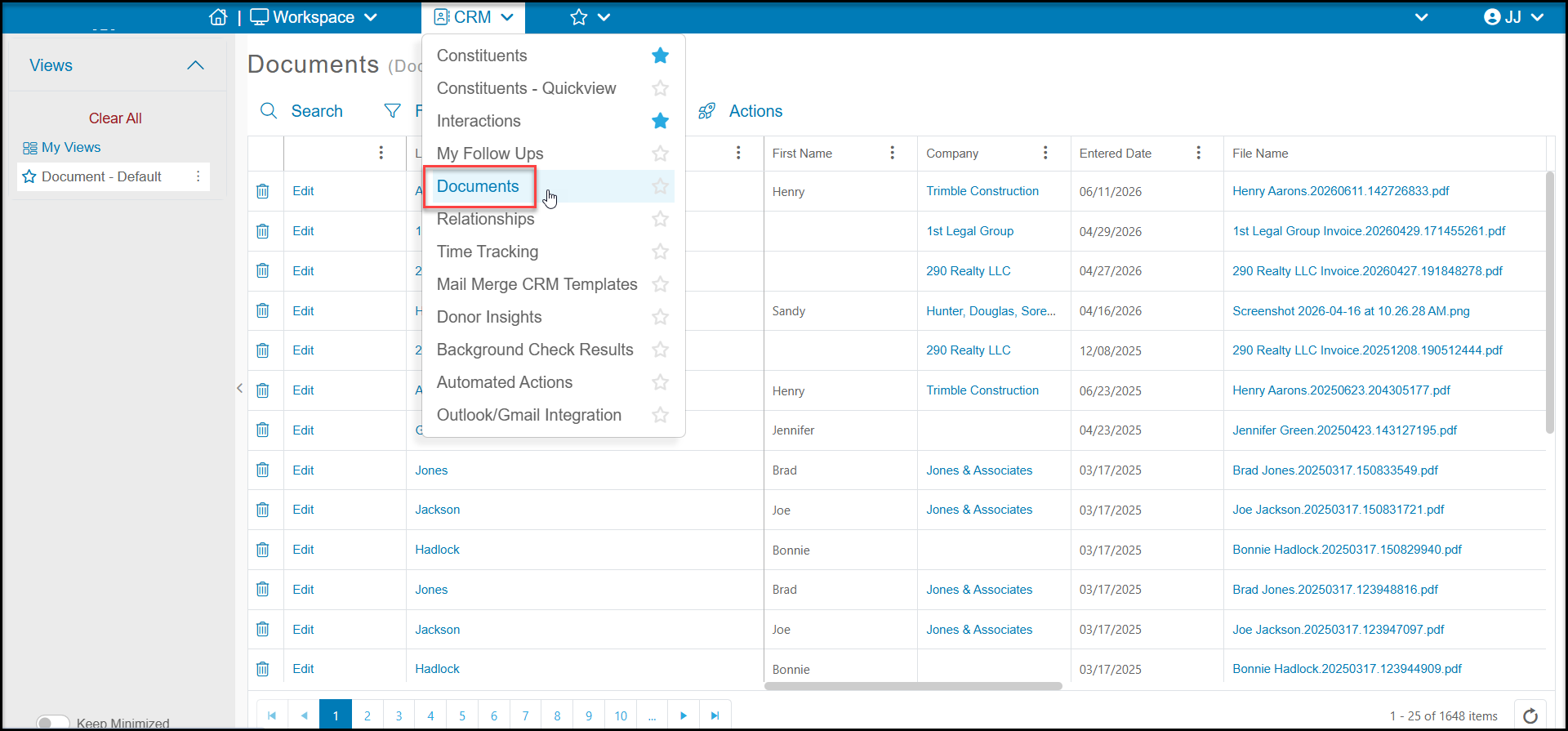
You can access documents for a specific constituent from their profile record under the Documents tab and you can see all documents for all constituents on the main Documents grid in the CRM module. Clicking on the link under File Name will open or download the document for your to view.
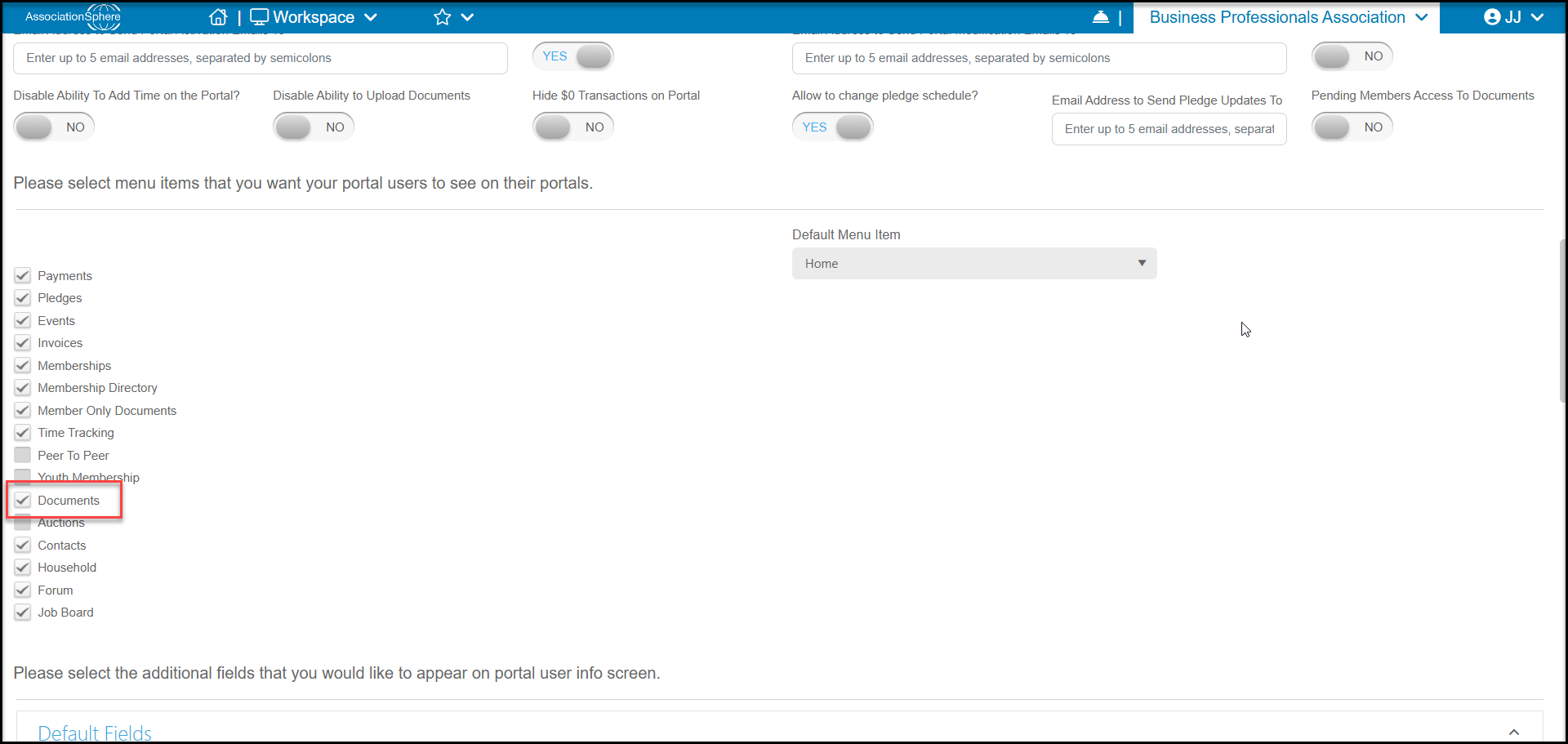
Documents can also be shared with the constituent via the Constituents Portal by activating the Documents option. With the Advanced Portal activated, constituents can access any documents you have shared with them such as certificates, tax letters, and other acknowledgments.