
Can I export constituent information?
Updated Oct 2, 2026·1 min read
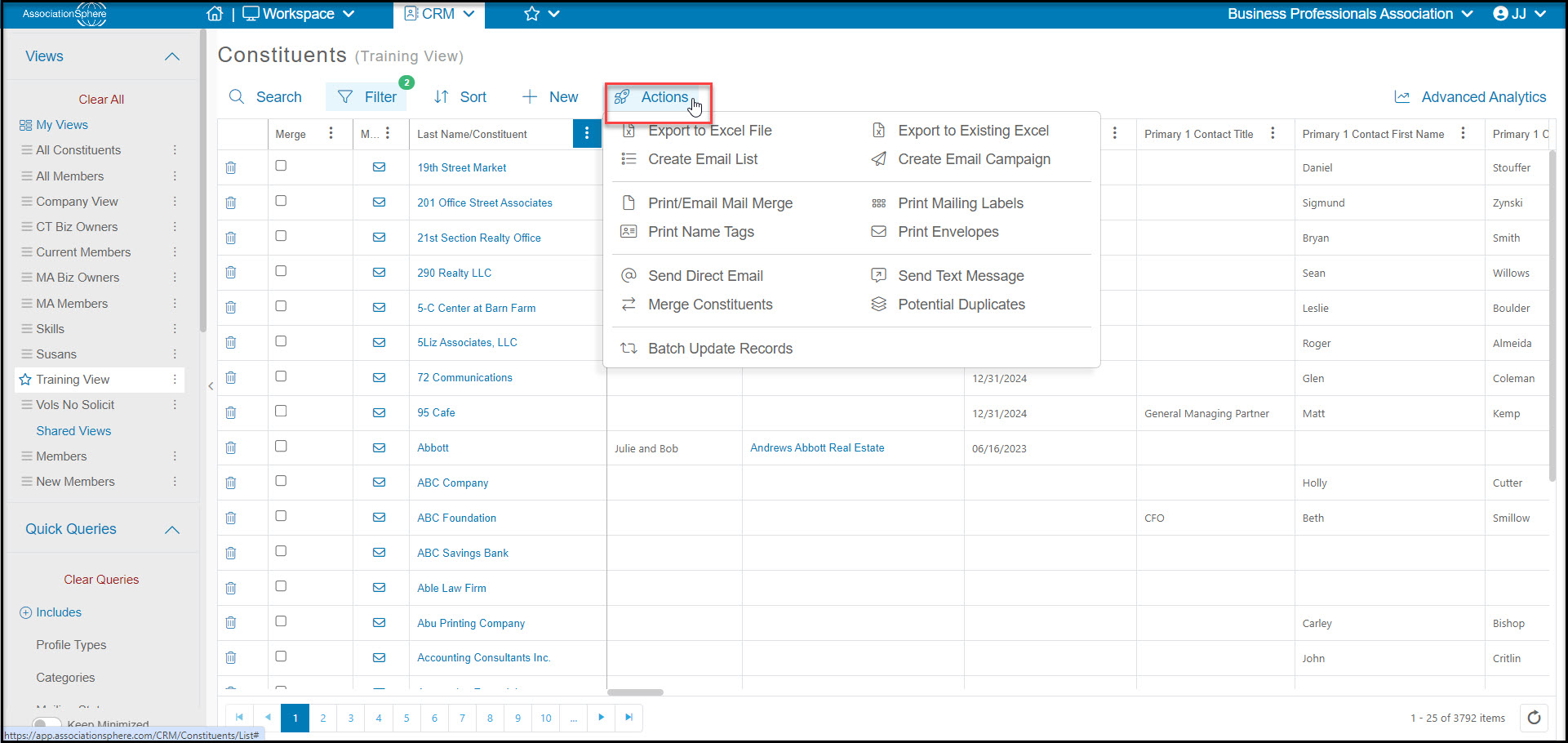
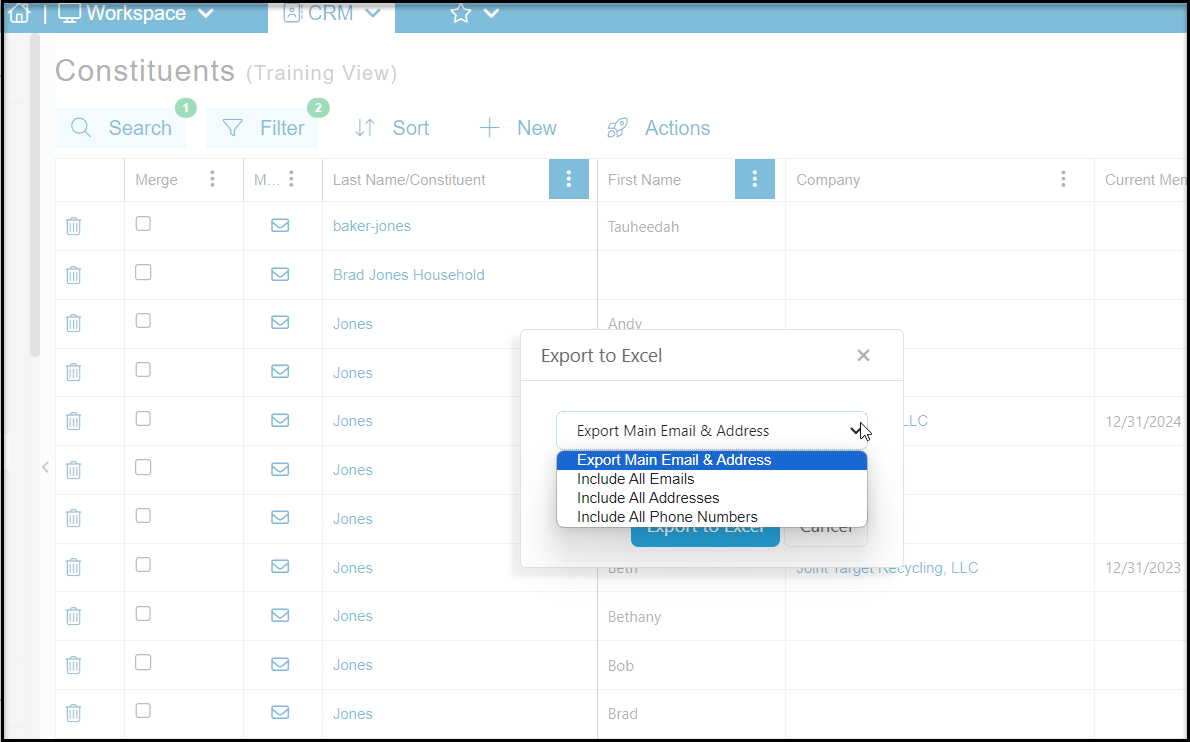
You can export the data shown on the Constituents grid to an Excel file by clicking on the Actions menu at the top of grid, then clicking on Export to Excel File. In the new window you will be able to choose to:
- Export Main Email & Address - this option includes only the default address and primary email
- Include All Emails - this option includes the default address and creates an additional row for each additional email address
- Include All Addresses - this option will produce additional rows for each address in the constituent's record
- Include all Phone Numbers - this option will include the default address, primary email and include an additional row for each phone number
You can export the data shown on the Constituents grid to an Excel file by clicking on the Actions menu at the top of grid, then clicking on Export to Excel File. In the new window you will be able to choose to:
- Export Main Email & Address
- Include All Emails
- Include All Addresses (this option will produce additional rows for each address)
- Include all Phone Numbers
Was this article helpful?