How can I search for a specific constituent?
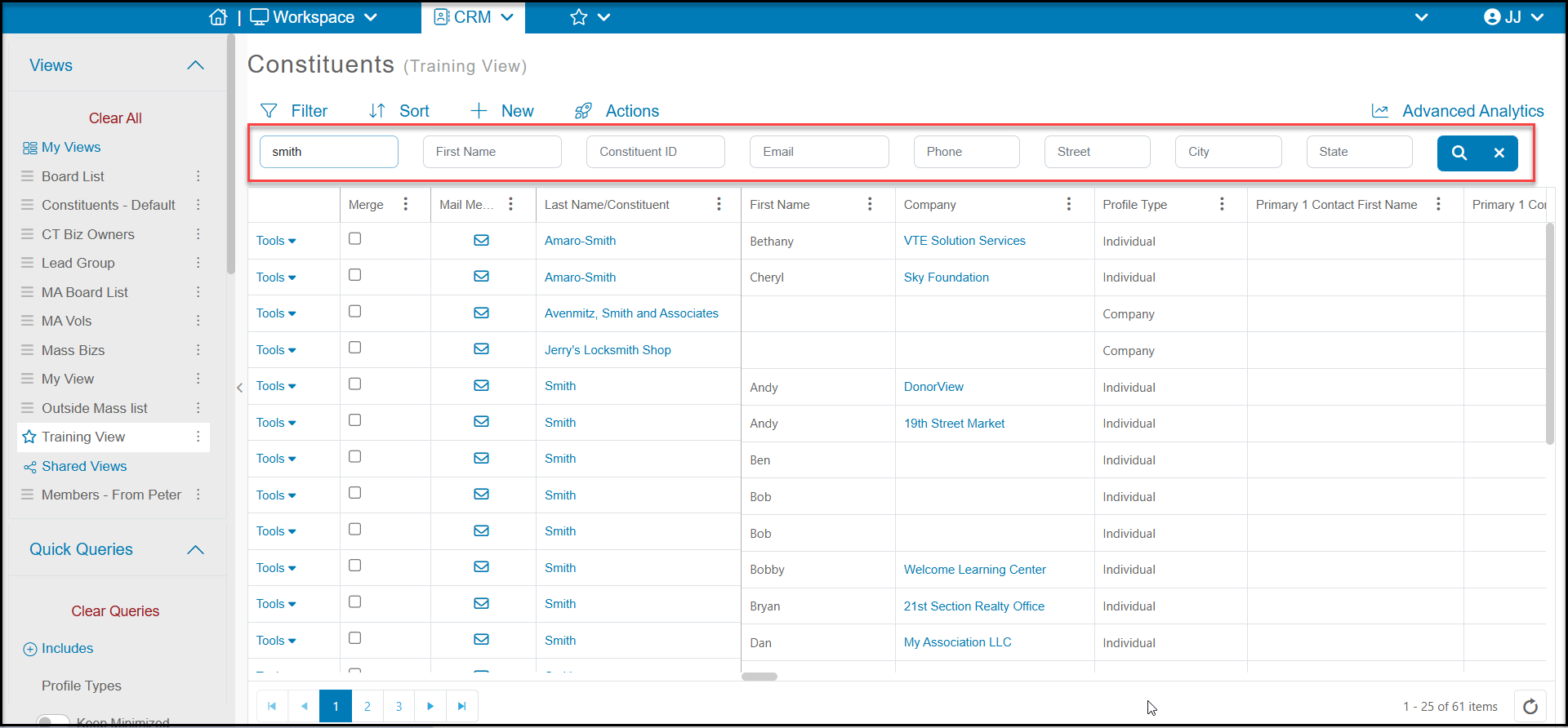
There is a search bar at the top of Constituents grid to allow you to search in the fields Last Name, First Name, Email, Phone, Street Address, City and State. You can search in one or more fields and click on the blue search icon on the right side of the search bar.
These fields search with a "Contains" action, meaning that the software will search for matching records that contain the information anywhere in that field. In the example below, we entered "smith" in the Last Name search field. Notice that the search results include names such as "Jerry's Locksmith Shop" because the text "smith" is included in the field.
To clear the search and return to your previous saved viewed, click on the blue "x" button on the far right side of the search bar.