
Help center/Surveys/Forms Module/Surveys/Forms List Page - Creating Surveys, Applications, Polls and Forms
How do I add text message subscription options to my survey or form?
Updated Jun 22, 2026·1 min read
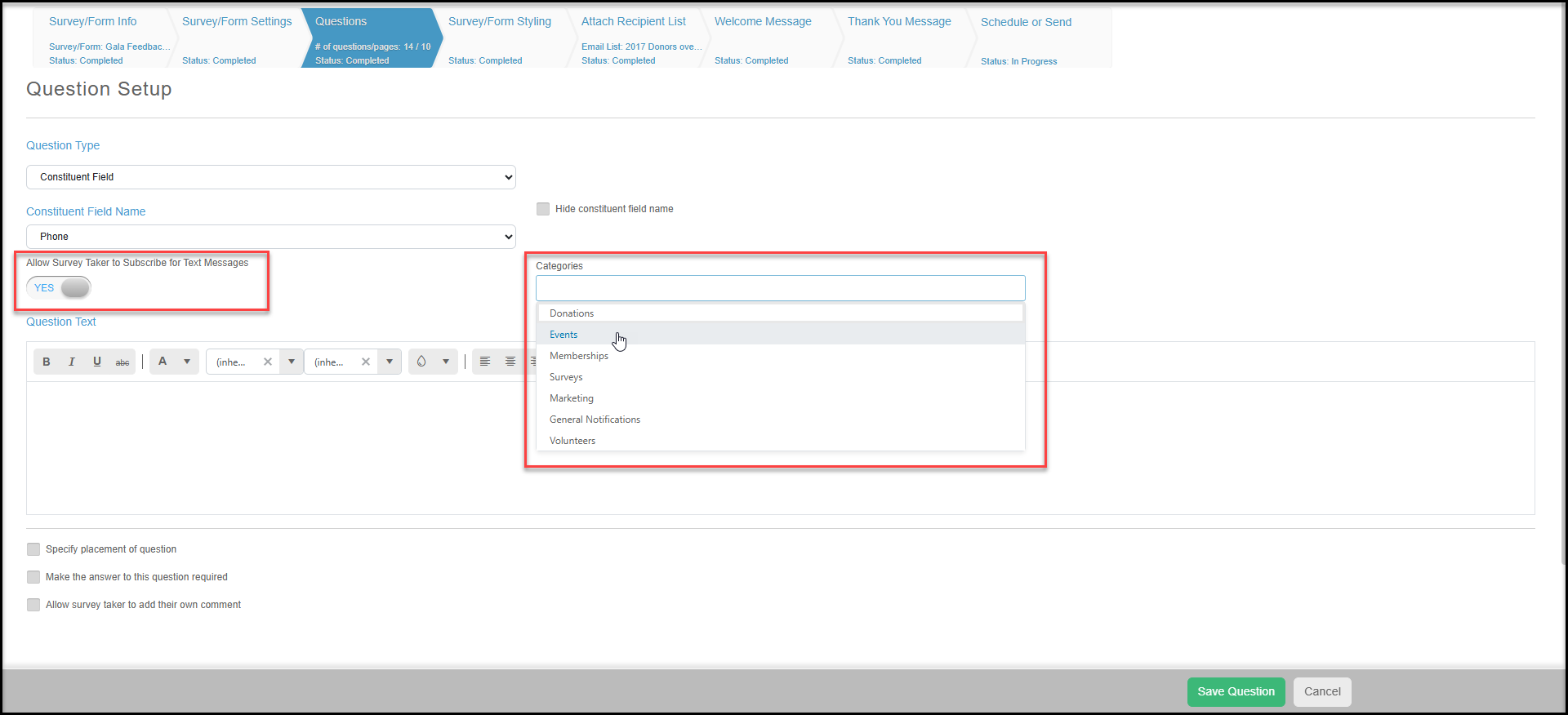
Text Message subscriptions can be added as a Survey/Form Question. While setting up the standard Phone Constituent question you will find a new setting, "Allow Survey Taker to Subscribe for Text Messages". This setting will allow those entering a Mobile phone number to also subscribe to certain text categories to receive text communication from your Organization.
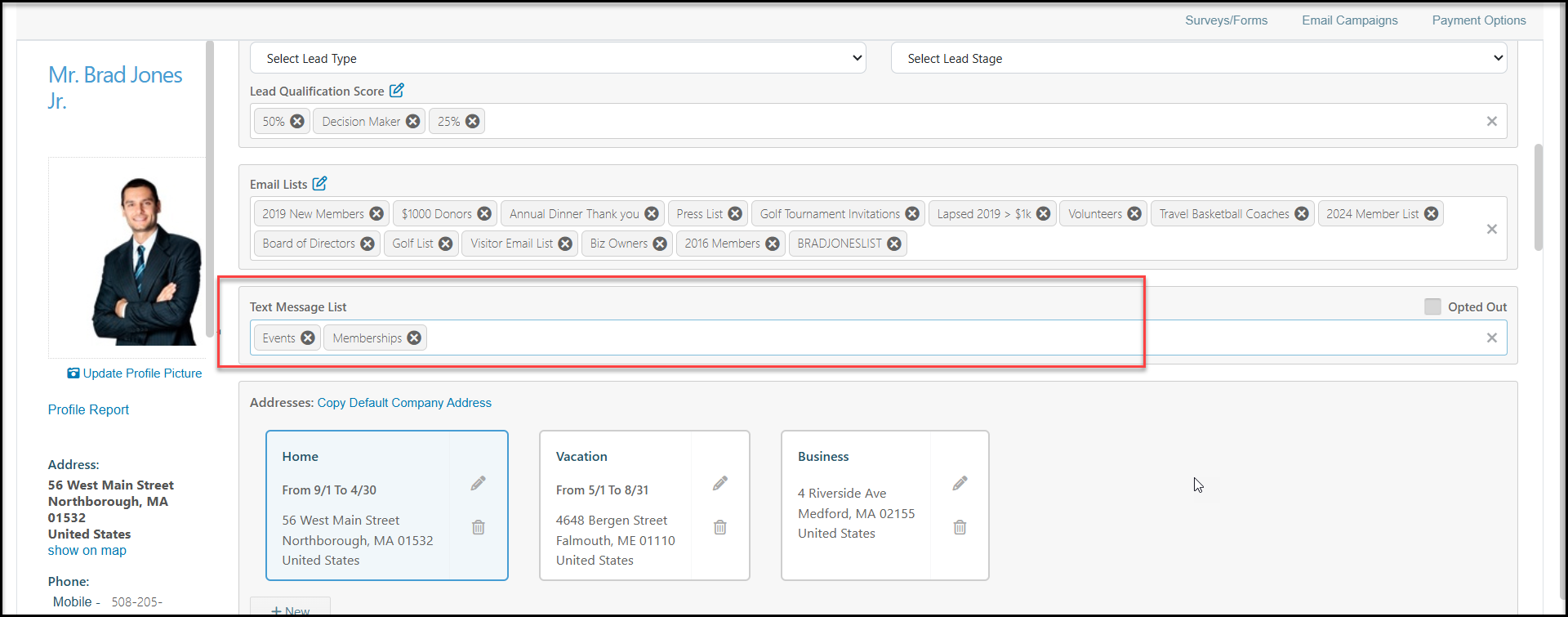
After the survey is submitted the Text Categories select by the survey taker will then appear within their Constituent record under the Text Message List field and can then be used to filter for like Constituents to send out Text Message Campaign to.
Was this article helpful?